
Site entry
Arrange safety induction, staff records and gate passes before the installation team arrives.
Commando360 for Pharmaceuticals
Connect controlled-room access, gowning checks, visitor passes and staff coverage. Give plant teams the evidence and tasks needed to resolve exceptions.
Commando Security Group, our sister company, has more than 25 years of physical security experience.
Arrange safety induction, staff records and gate passes before the installation team arrives.
Confirm PPE, work-at-height permits and authorised power connections with the site team.
Agree device access, IP requests and discovery scans with IT. Use authorised accounts and follow site notification rules.
Commando360 connects controlled-room access, gowning checks, visitor records and staff coverage. Teams can review camera events, check permissions and assign action under the plant’s procedures. Each response retains its location, supporting evidence and timestamps.
Keep access checks and plant responses tied to the right zone and team.
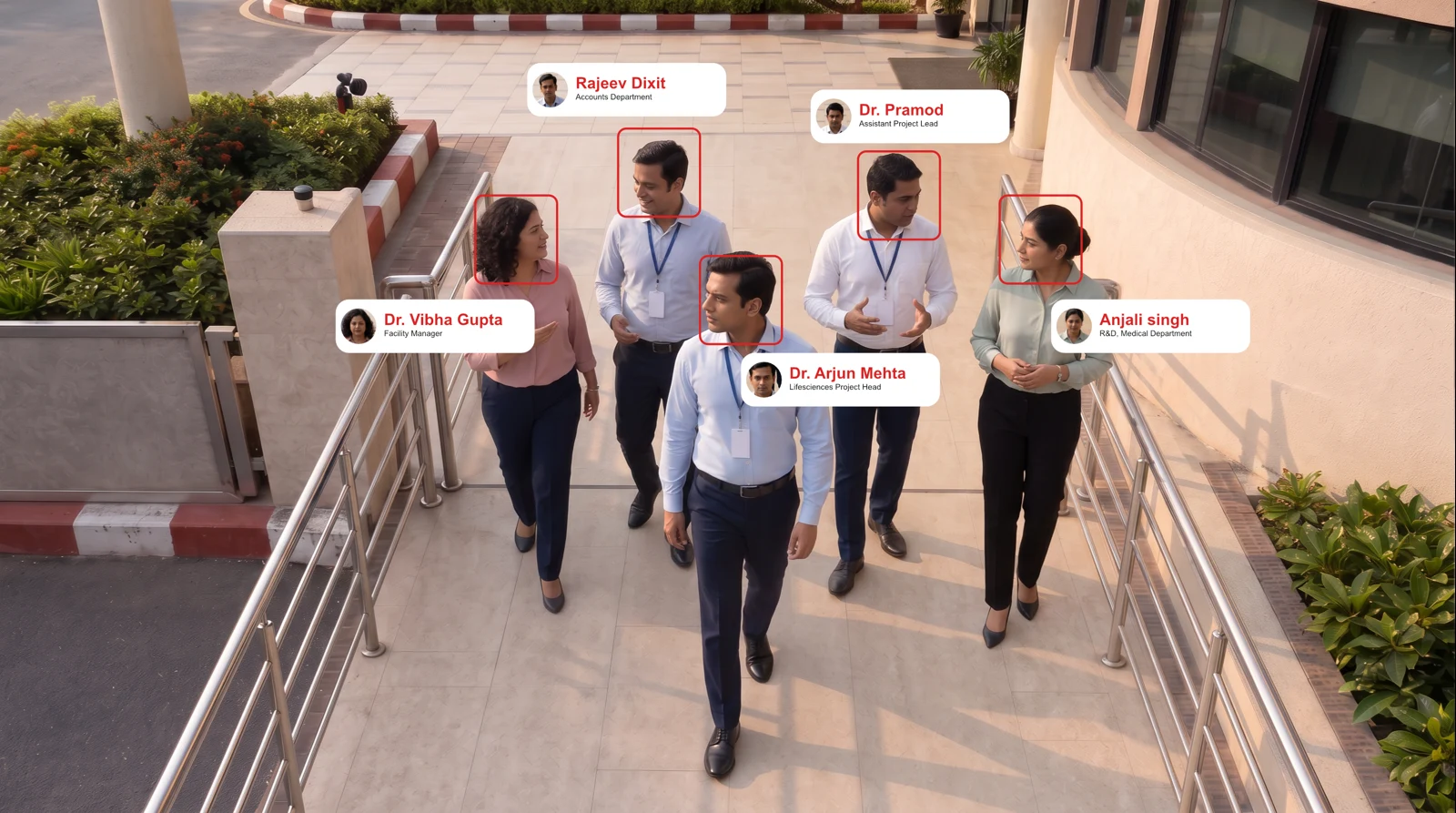
Compare entries with the enrolled employee, contractor and vendor roster. Review identity, training and zone clearance together.
Record: An entry record that connects the person, controlled area, timestamp, and authorisation status.
Workflow: Detect → Match → Check clearance → Record
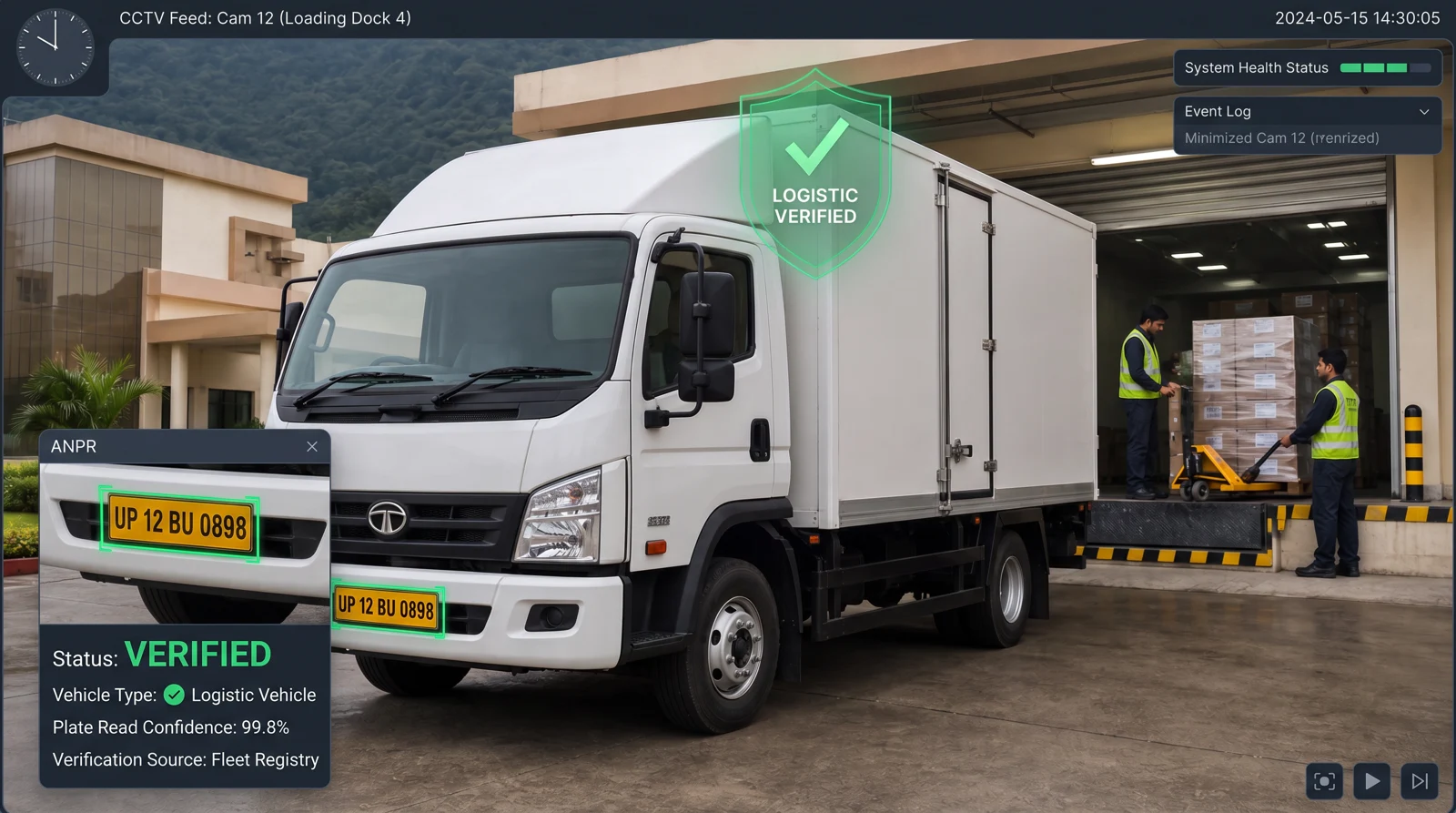
Use automatic number plate recognition (ANPR) to link a vehicle with its transporter, driver and dock assignment. Review unexpected load movements and unassigned bay use.
Record: A plate-level movement record with gate entry, bay assignment, and exit timestamps.
Workflow: Read plate → Match assignment → Track bay → Flag exception
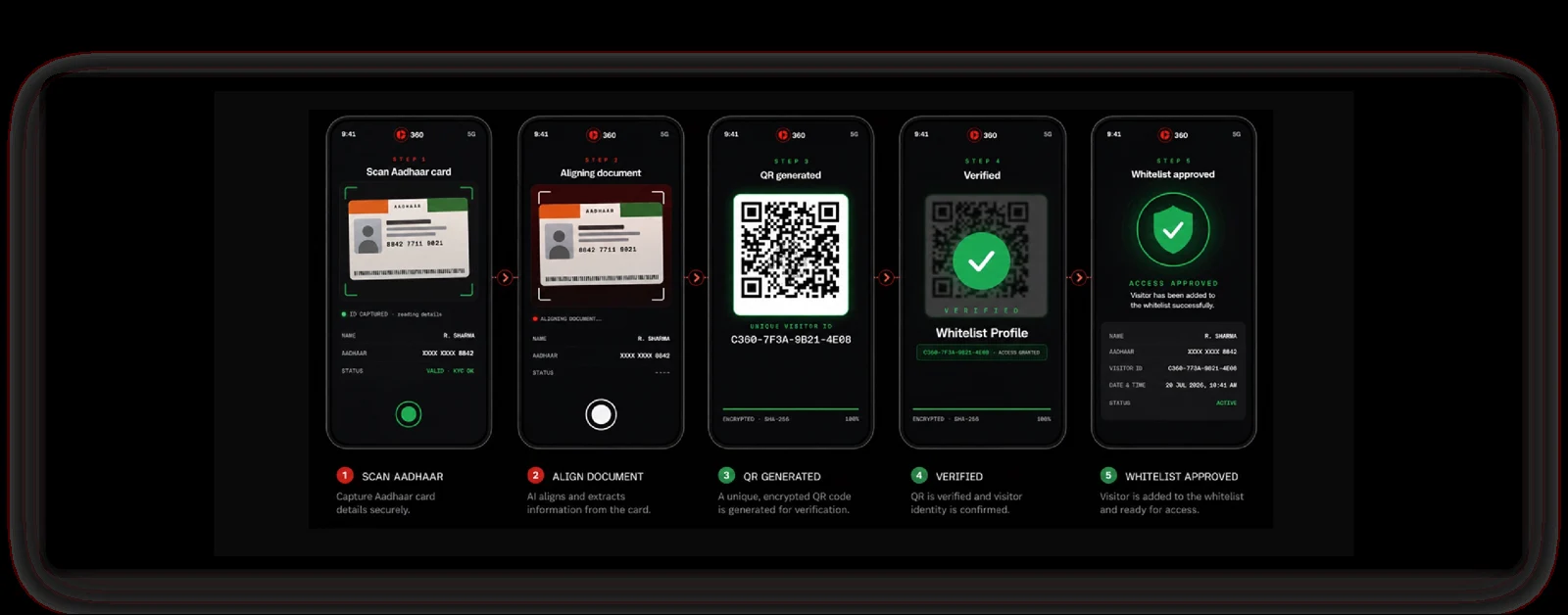
Pre-register visits with a host. Verify the approved record and issue a pass for defined zones and hours, with escort and exit details.
Record: A visitor record with purpose, permitted zones, host, escort, and entry and exit details.
Workflow: Register → Verify → Escort → Sign out
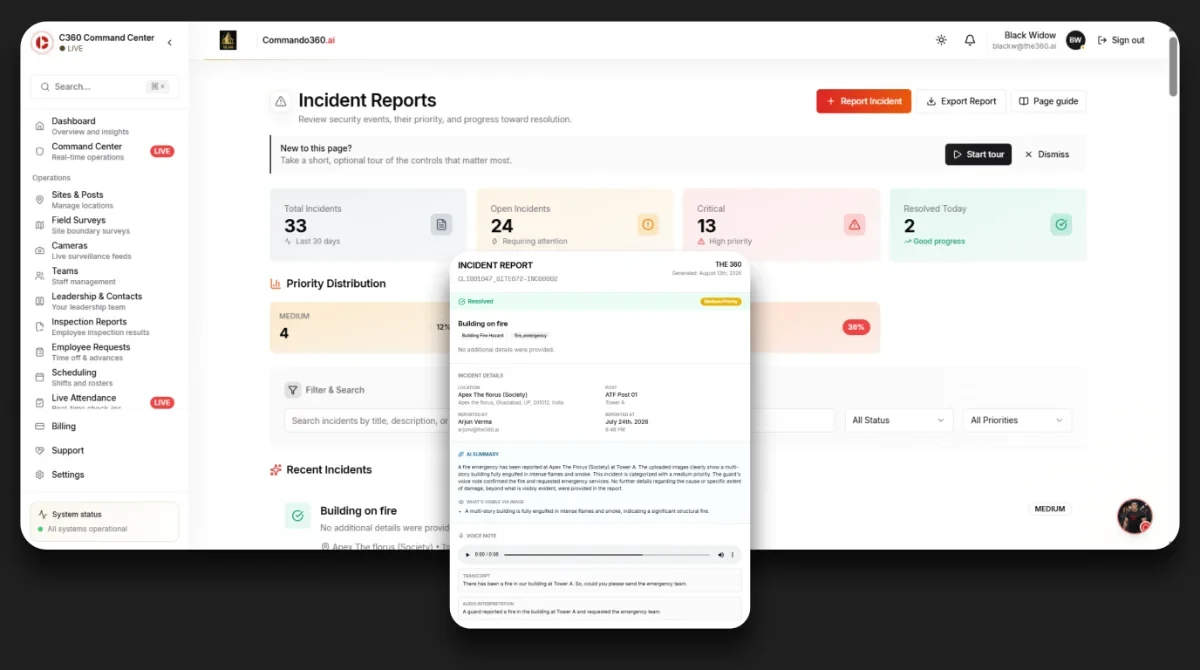
Connect spills, falls, smoke alerts, crowd events and field SOS calls with the location and relevant standard operating procedure (SOP). Assign a response owner and track acceptance and closure.
Record: A record of the event, actions, timestamps, and response duration against the agreed target.
Workflow: Detect → Escalate → Respond → Close
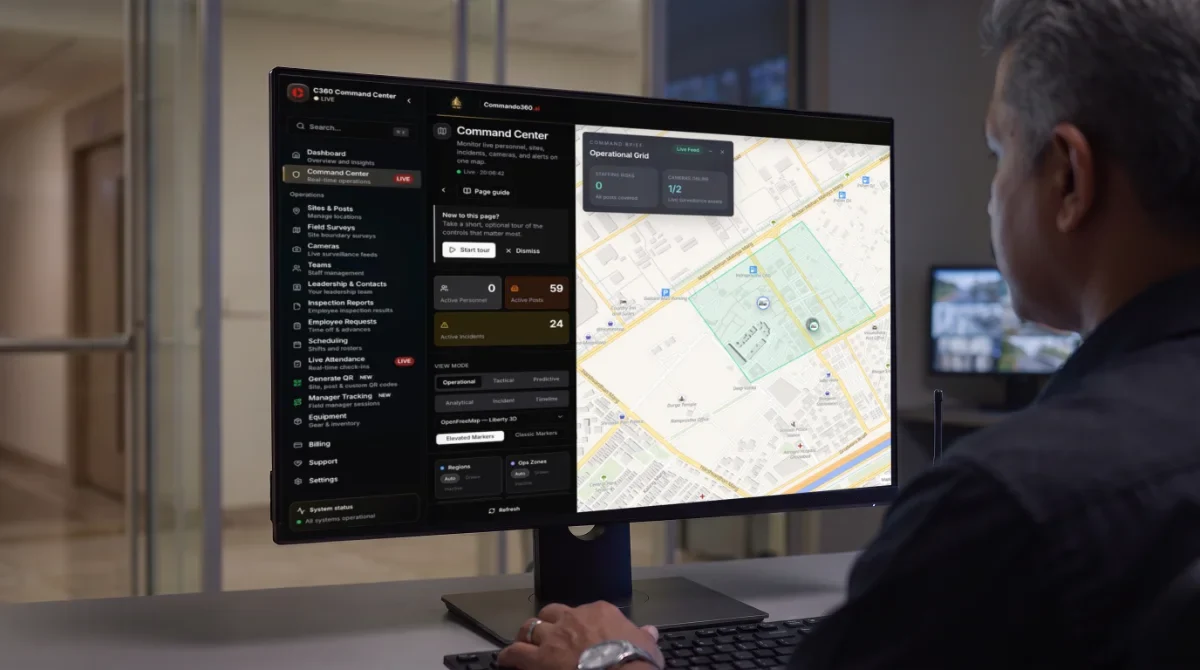
Link face and geofence check-ins to assigned posts. Give supervisors a view of absences, late reliefs, overtime and patrol completion.
Record: Verified attendance and deployment records to support contractor billing and manpower review.
Workflow: Roster → Verify check-in → Track patrol → Report
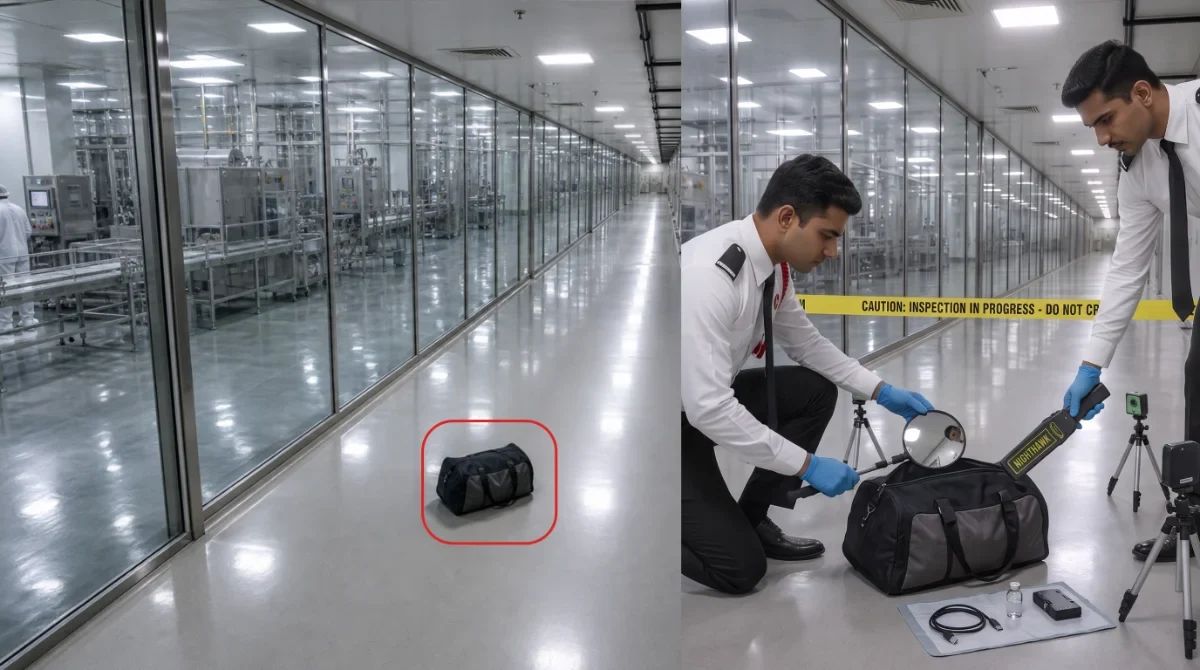
Flag bags, drums, cartons or trolleys left in corridors, docks and plant rooms. Send the location and clip to the response team.
Record: A location-specific obstruction record with the response owner, supporting clip, and closure action.
Workflow: Detect → Confirm → Escalate → Clear
Count entries and exits against room limits. Give supervisors occupancy by zone and a history to reconcile during drills.
Record: A timestamped occupancy history by zone and shift, with exceptions against the configured limit.
Workflow: Count → Compare → Alert → Log
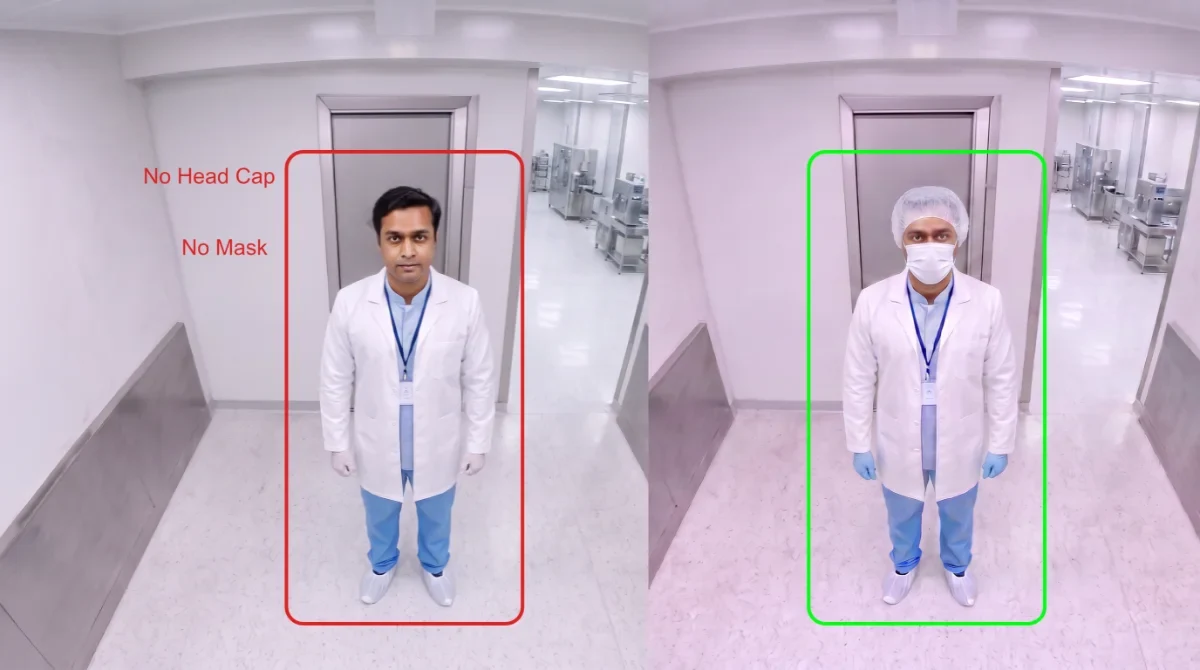
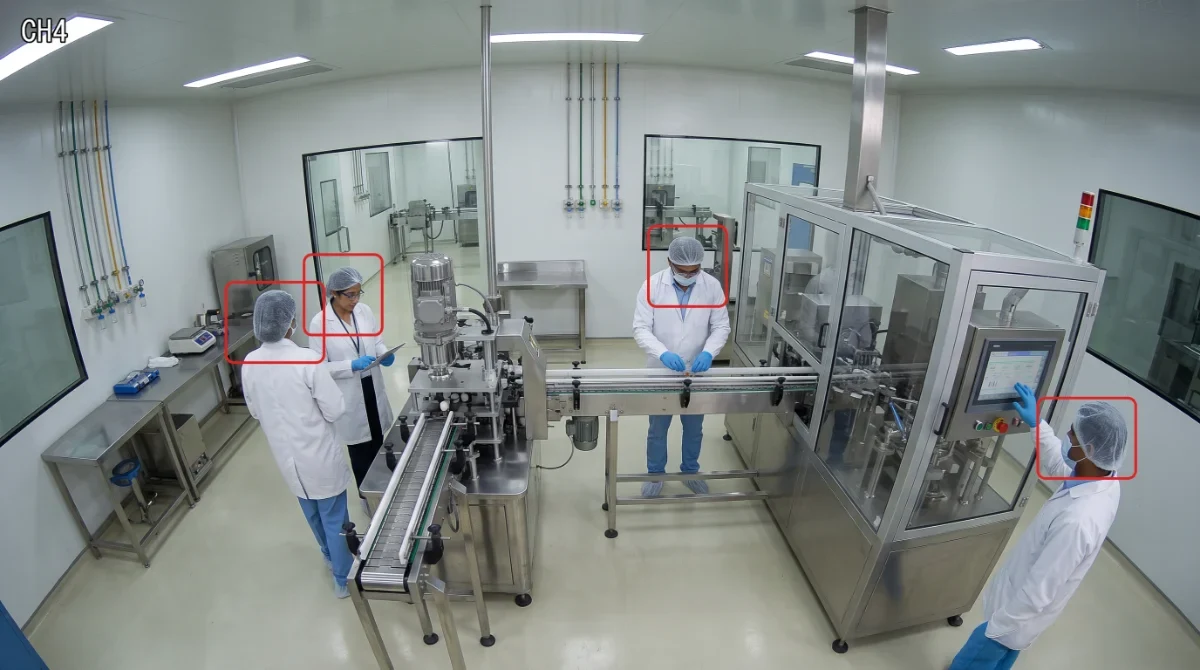
Check the personal protective equipment (PPE) required for each zone: coveralls, hoods, masks, goggles, gloves and shoe covers. Flag missing items for review before entry.
Record: Photographic evidence of the gowning check, linked to the zone and relevant time window.
Workflow: Apply zone rule → Check PPE → Flag exception → Record
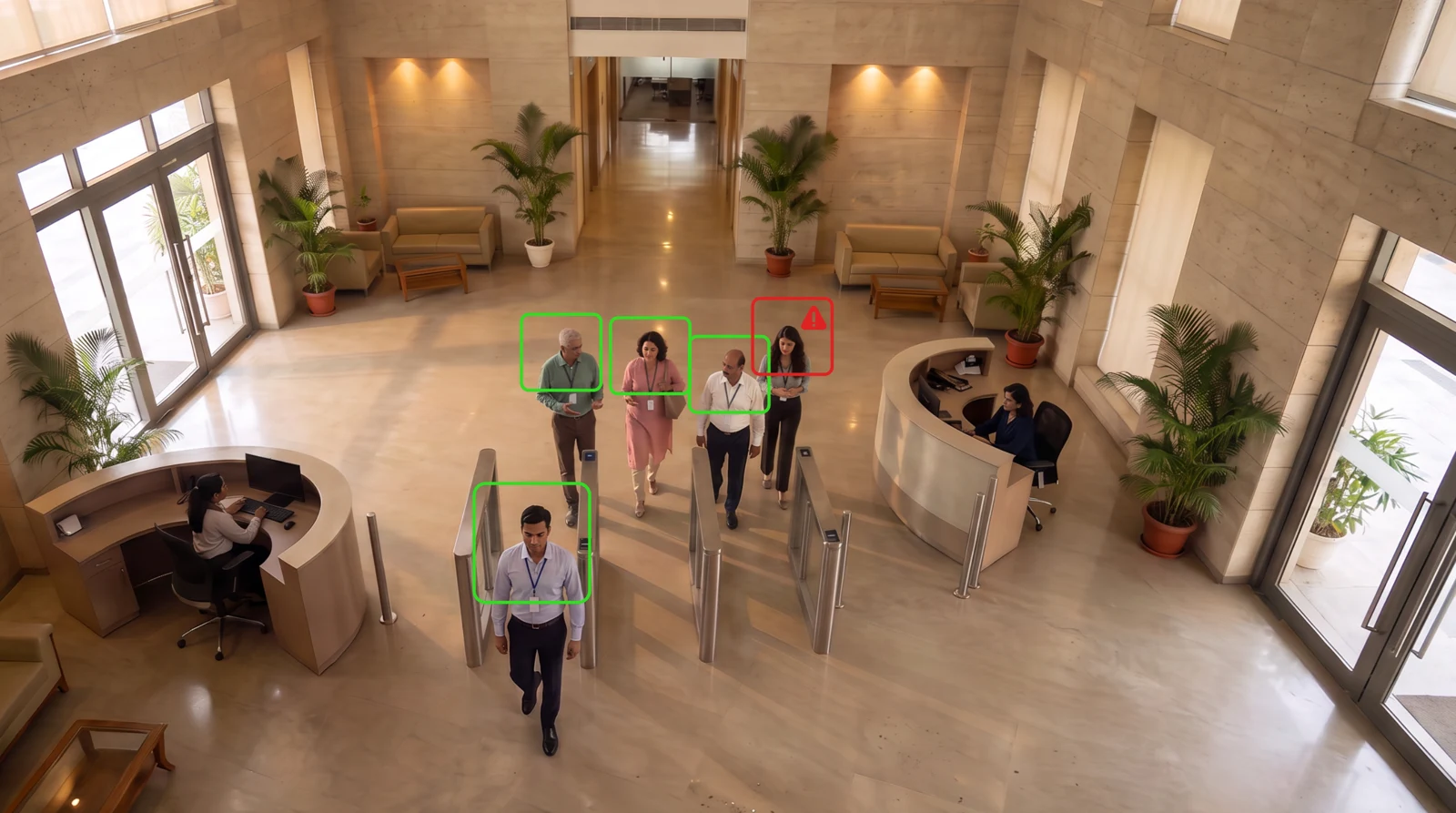
Compare passages with access authorisations. Flag a second person following one credential at dispensing, quality-control or bonded-store entrances.
Record: A controlled-entry exception with the relevant video, location, and authorisation context.
Workflow: Authorise → Count → Flag → Escalate
The reviewer checks the image against the room’s required gowning set and records the correction before entry.
Airlock 2
Shift supervisor
Gowning exception
Confirm the missing PPE item, follow the entry procedure and record the correction.
Choose the locations, check camera coverage and name the response teams.
Test the agreed scope. Compare alert quality, false alerts, response times and record completeness with a baseline.
Review results with operations and IT. Resolve issues before extending to more zones.
Review events and site records. Assign tasks, track progress and check the closure evidence.
Receive the location and instructions. Follow the checklist, capture current photos and record the action in the field app.
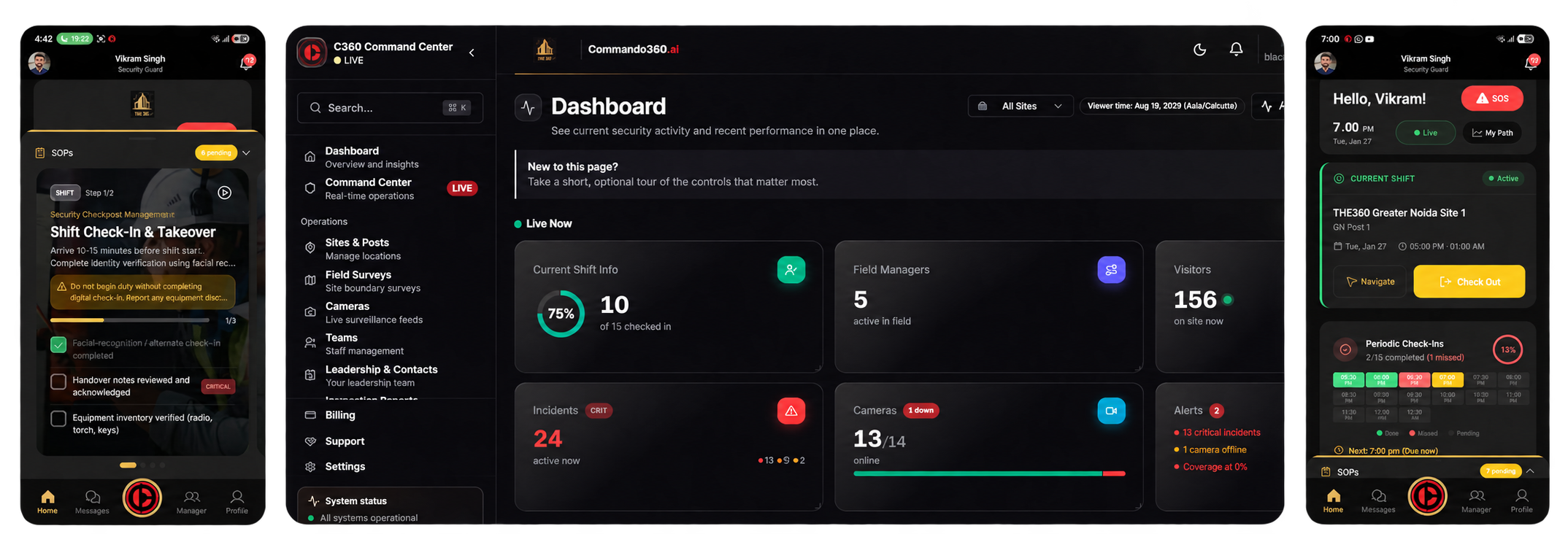
Camera analytics can flag occupancy, gowning, access, vehicle movements and unattended items. Commando360 connects each event to a response owner and evidence record.
Review zone entries, occupancy history, gowning exceptions, incident responses and verified attendance. Agree records, retention and access controls during assessment.
We assess feed access, camera position, lighting and visibility for each use case. Face and number plate recognition may need dedicated views.
These operational workflows do not establish GMP validation or electronic-record compliance. Agree the required validation and performance testing with your quality team.
Compare confirmed detections, false alerts, response times and record completeness with a baseline. Cover representative shifts and lighting, including missed or uncertain events.
Include security, facilities, EHS, quality, and IT. These teams can agree on zone rules, feed access, response ownership, retention, and the rollout plan.
Review controlled-room entrances, contractor access and plant response procedures with your team.