
Site entry
Arrange safety induction, staff records and gate passes before the installation team arrives.
Commando360 for Hospitality
Connect guest-area alerts, service-door access, supplier arrivals and housekeeping checks. Give duty teams the location, evidence and instructions to act.
Commando Security Group, our sister company, has more than 25 years of physical security experience.
Arrange safety induction, staff records and gate passes before the installation team arrives.
Confirm PPE, work-at-height permits and authorised power connections with the site team.
Agree device access, IP requests and discovery scans with IT. Use authorised accounts and follow site notification rules.
Commando360 connects camera alerts with hotel security, housekeeping and duty-manager tasks. Teams can review occupancy, unattended luggage and access events, then assign and record the response. QR check-ins and visitor passes keep a record of who checked in, where and when.
Choose the areas and tasks that need closer attention.
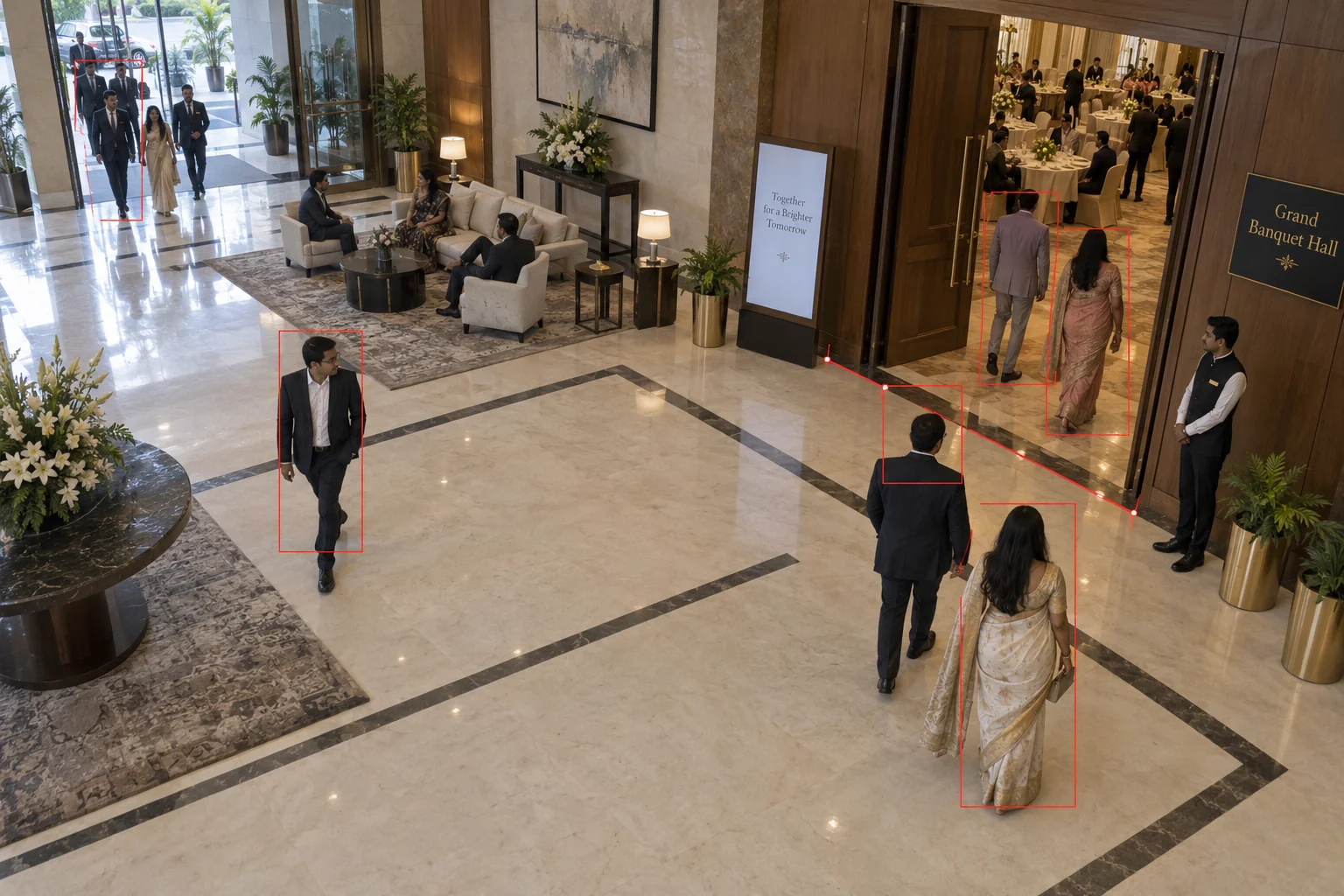
Estimate occupancy from entries and exits at covered banquet boundaries. Compare counts with the approved limit and send event staff to areas becoming crowded.
Setup: Covered entry and exit points, reconciled counts, and site limits.
Response owner: Banquet manager
Measure: Time above the agreed occupancy threshold
Record: Count interval, threshold, event location, and steward response.
Workflow: Count entries → Estimate presence → Review limit → Deploy team
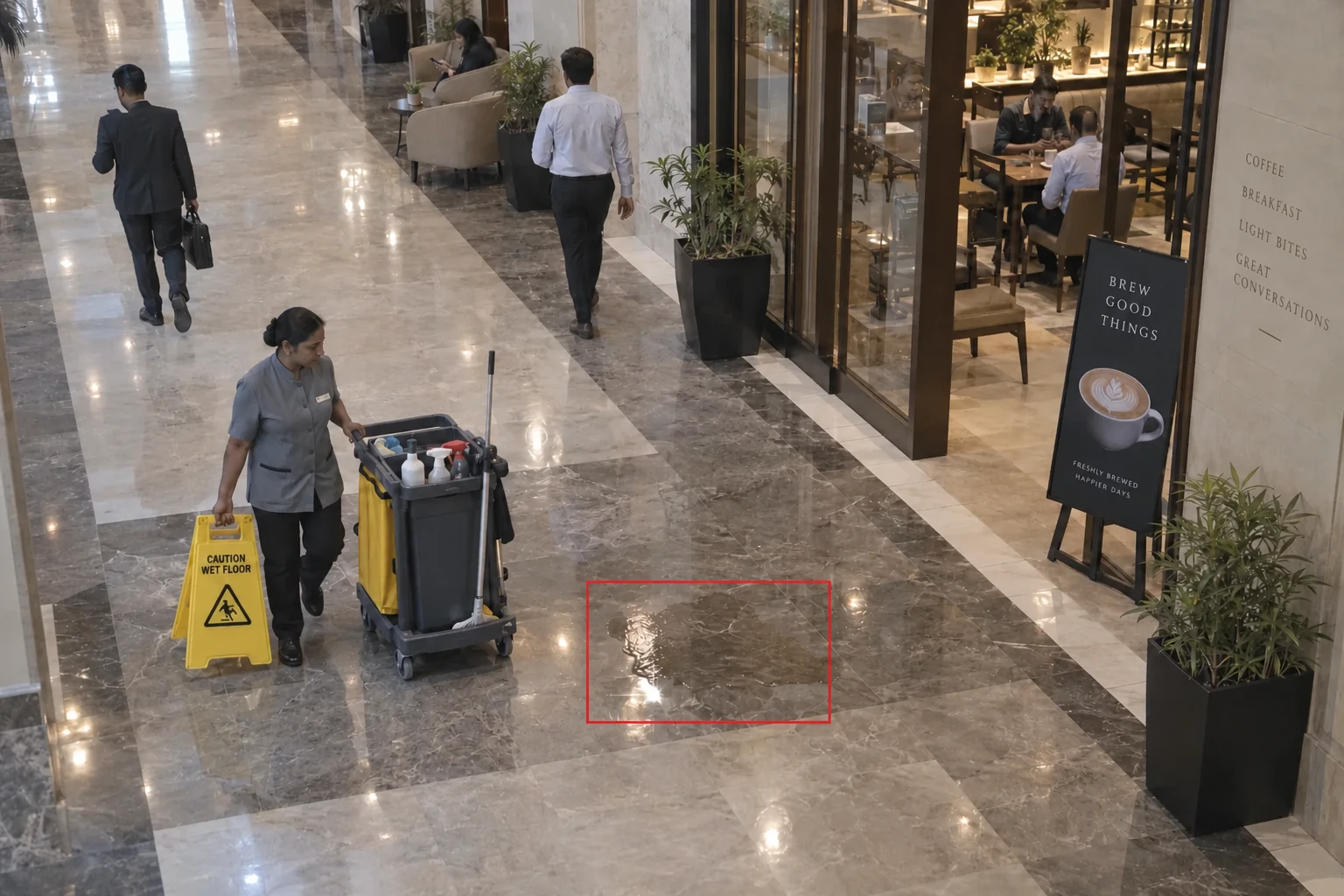
Flag visible puddles in lobbies, corridors and restaurant approaches. Housekeeping isolates the area, checks the surface and records clearance.
Setup: Usable lighting, surface visibility, and a named response team.
Response owner: Housekeeping supervisor
Measure: Time to isolate and clear
Record: Spill image, location, accepted time, and inspection after cleaning.
Workflow: Flag condition → Isolate area → Inspect and clean → Record clearance
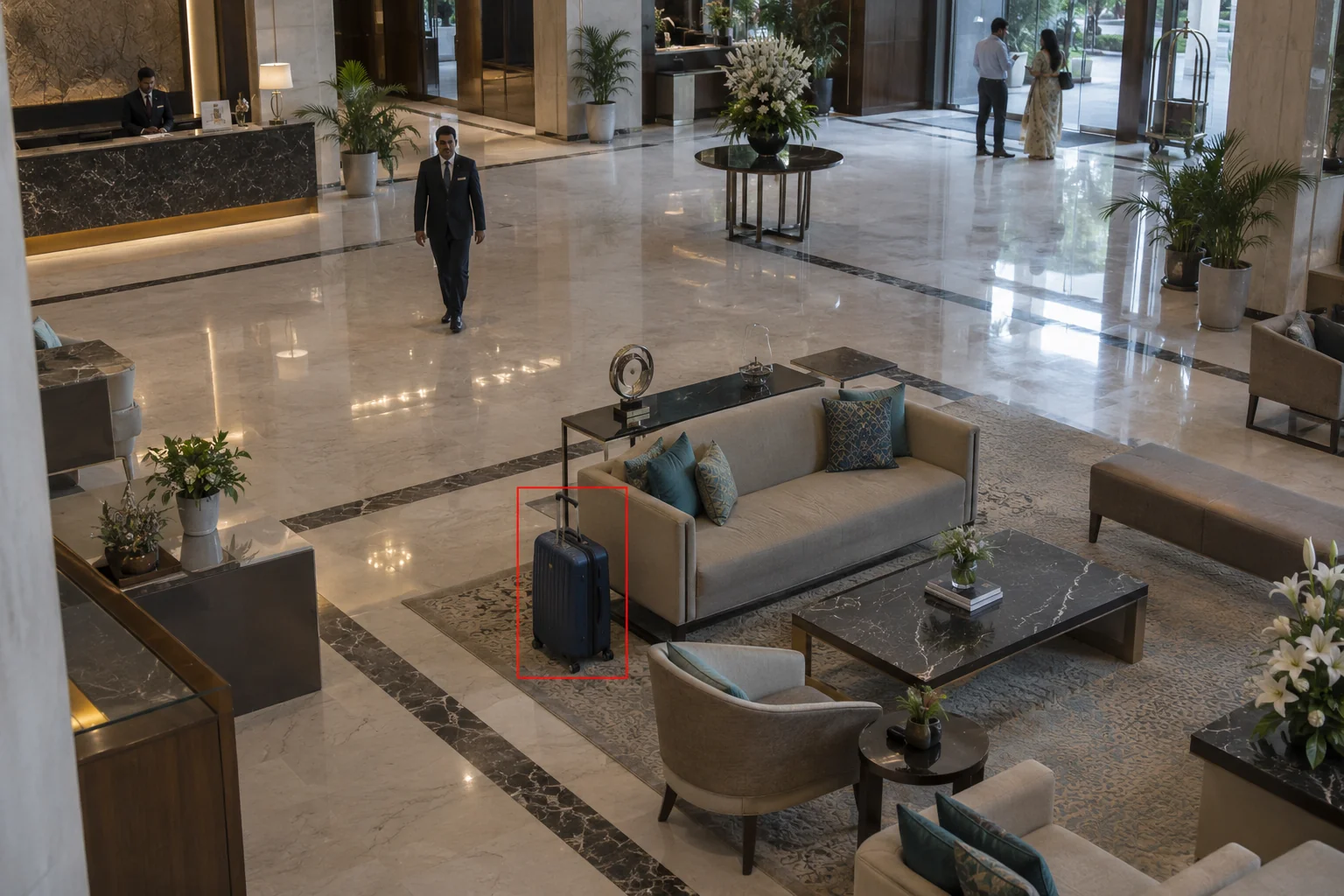
Flag bags left beyond the set dwell time in public areas. Security checks ownership and follows the property’s response procedure.
Setup: Approved zones, dwell settings, and trained response staff.
Response owner: Duty security team
Measure: Time to review an unattended item
Record: Item location, dwell interval, review outcome, and handoff record.
Workflow: Detect item → Check dwell → Review ownership → Record action
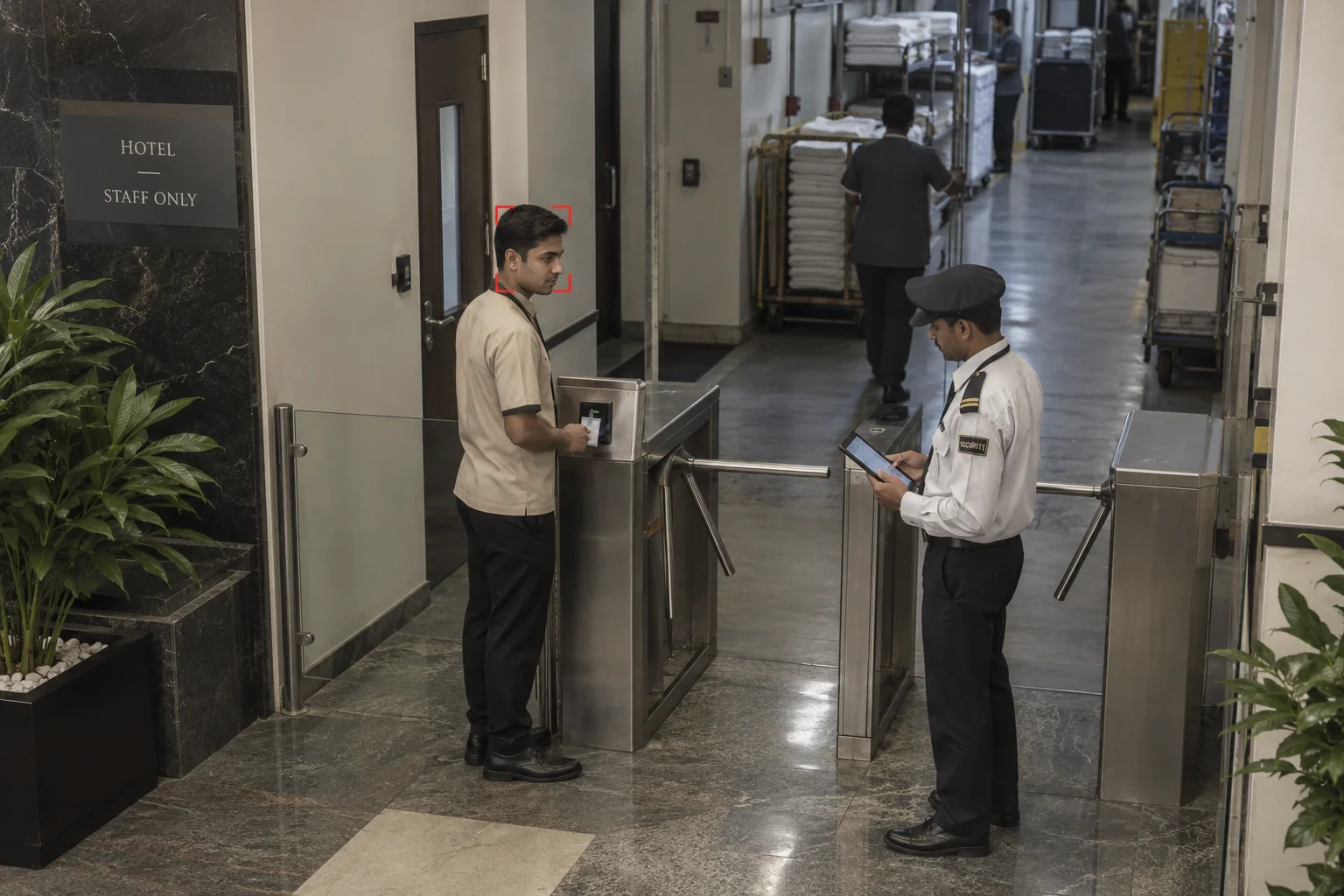
Match arriving staff and vendors against the enrolled roster. Guards review uncertain results and confirm back-of-house permissions before entry.
Setup: Approved enrolment, image quality, and a manual verification option.
Response owner: Service-entry security
Measure: Unresolved verification exceptions
Record: Roster reference, verification outcome, area permission, and entry time.
Workflow: Match roster → Review result → Check zone → Record entry
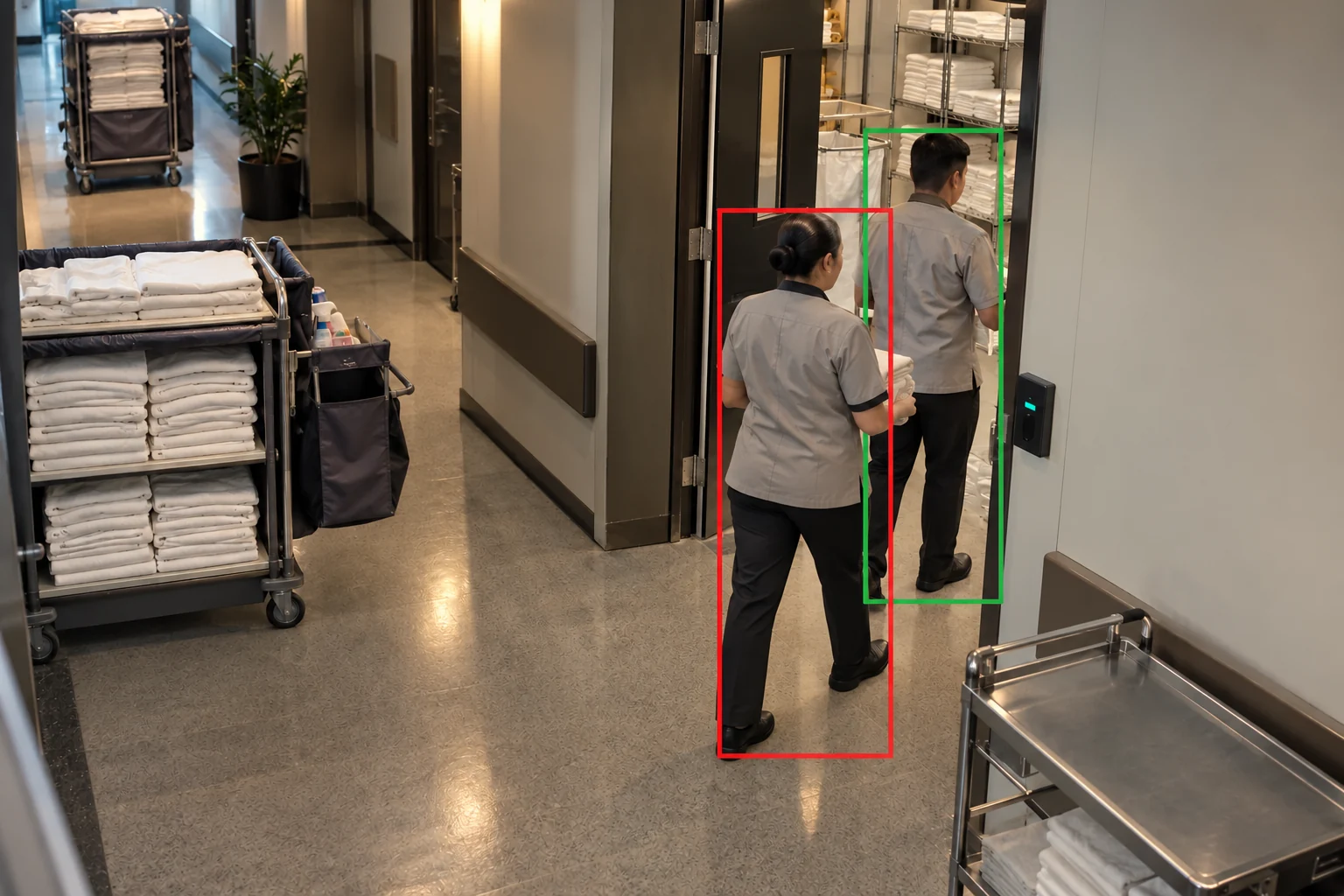
Compare passages through service and store doors with granted access events. Send extra passages and the relevant clip to the duty manager.
Setup: Door-event integration and a clear entry view.
Response owner: Duty security manager
Measure: Confirmed passage mismatches
Record: Door event, observed passages, permission review, and resolution.
Workflow: Count people → Compare access → Review mismatch → Resolve
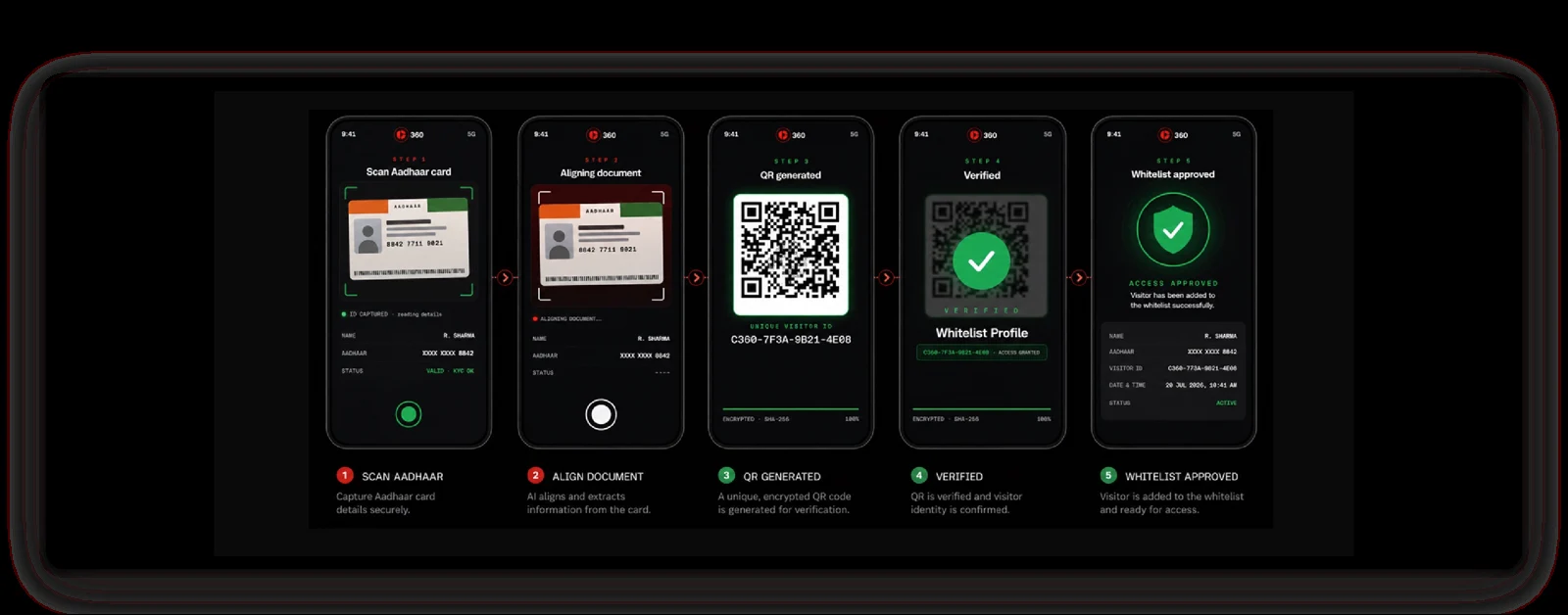
Verify a government-issued ID and issue a QR pass linked to the host, approved areas and visiting hours. Record entry and exit.
Setup: Supported ID verification, host approval, and controlled access to visitor records.
Response owner: Visitor desk team
Measure: Visits with a verified ID and approved pass
Record: ID verification status, visitor pass, host, allowed areas, and entry and exit times.
Workflow: Scan ID → Verify details → Generate QR pass → Record visit
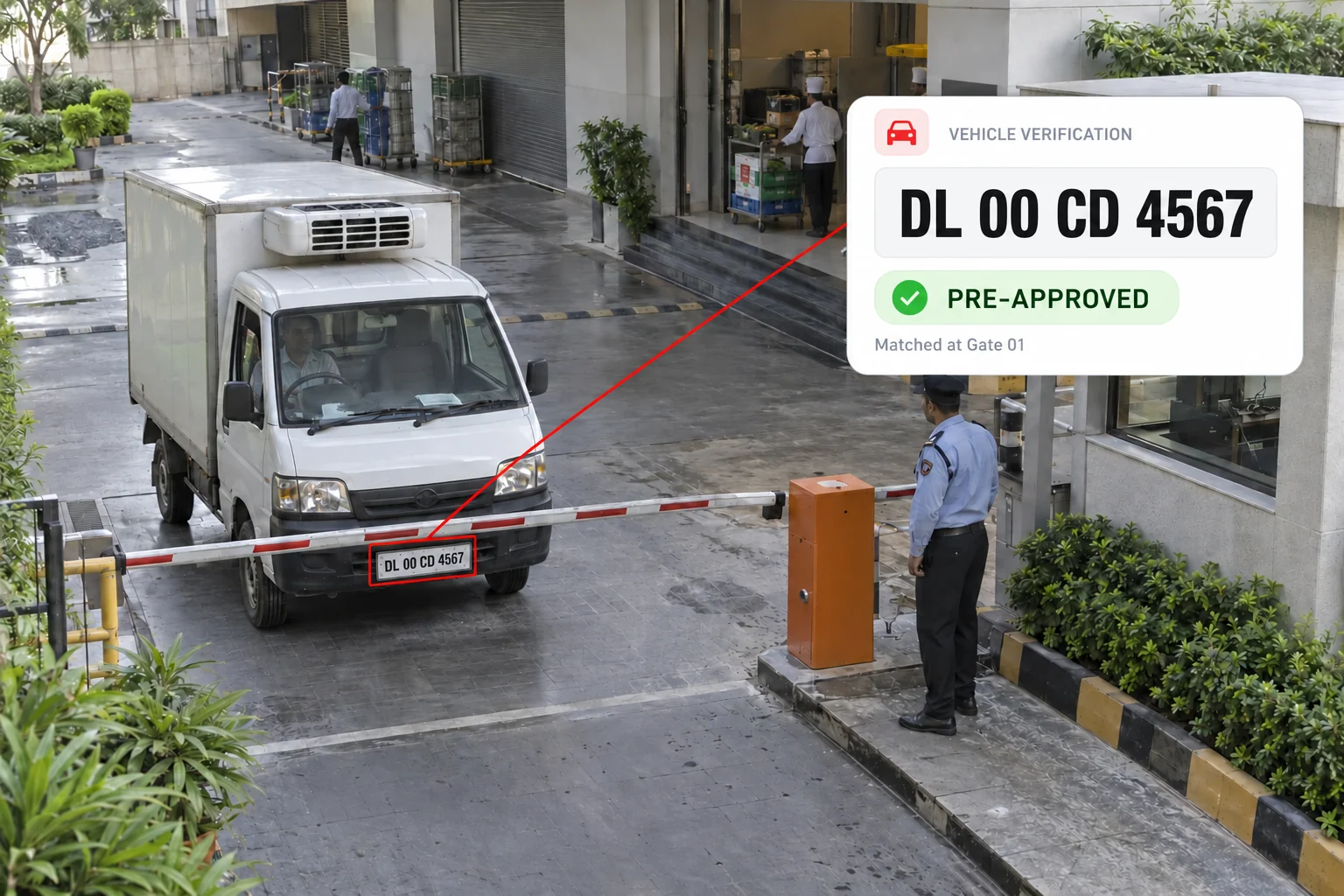
Read number plates with automatic number plate recognition (ANPR) and check approved and blocked vehicle lists. Flag blocked or unmatched vehicles for the gate team.
Setup: Readable plates and current approved and blocked vehicle lists.
Response owner: Gate security team
Measure: Blocked or unmatched vehicle alerts
Record: Detected plate, list-match status, gate-team decision, and entry or refusal time.
Workflow: Read plate → Check vehicle lists → Alert gate team → Record decision
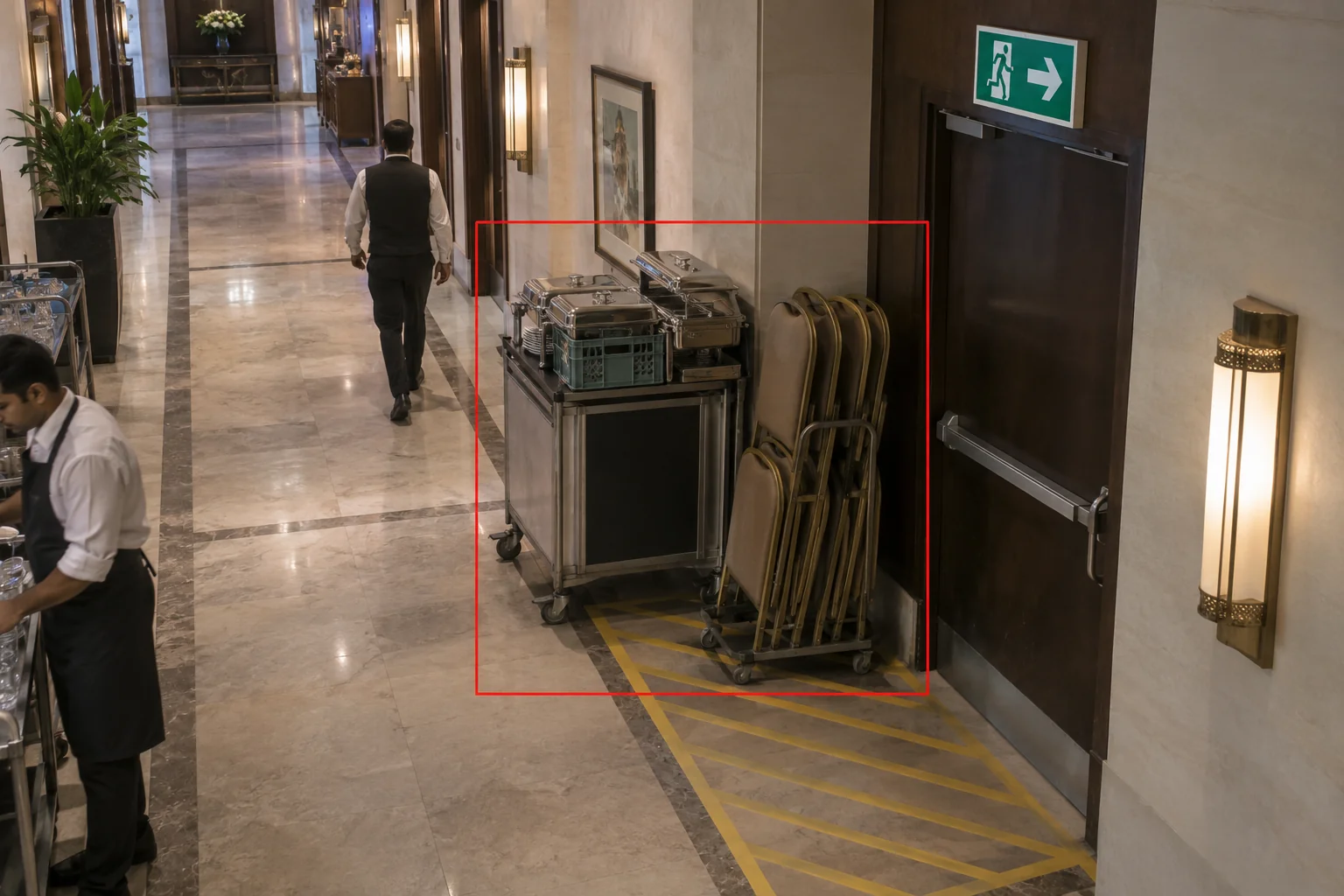
Flag trolleys, cartons or decorations left in marked escape routes. Assign clearance to the event or housekeeping team and confirm the route is clear.
Setup: Configured keep-clear areas and agreed dwell thresholds.
Response owner: Banquet operations team
Measure: Obstruction duration
Record: Item image, route location, assigned team, and clearance confirmation.
Workflow: Detect object → Check route → Assign team → Confirm clear
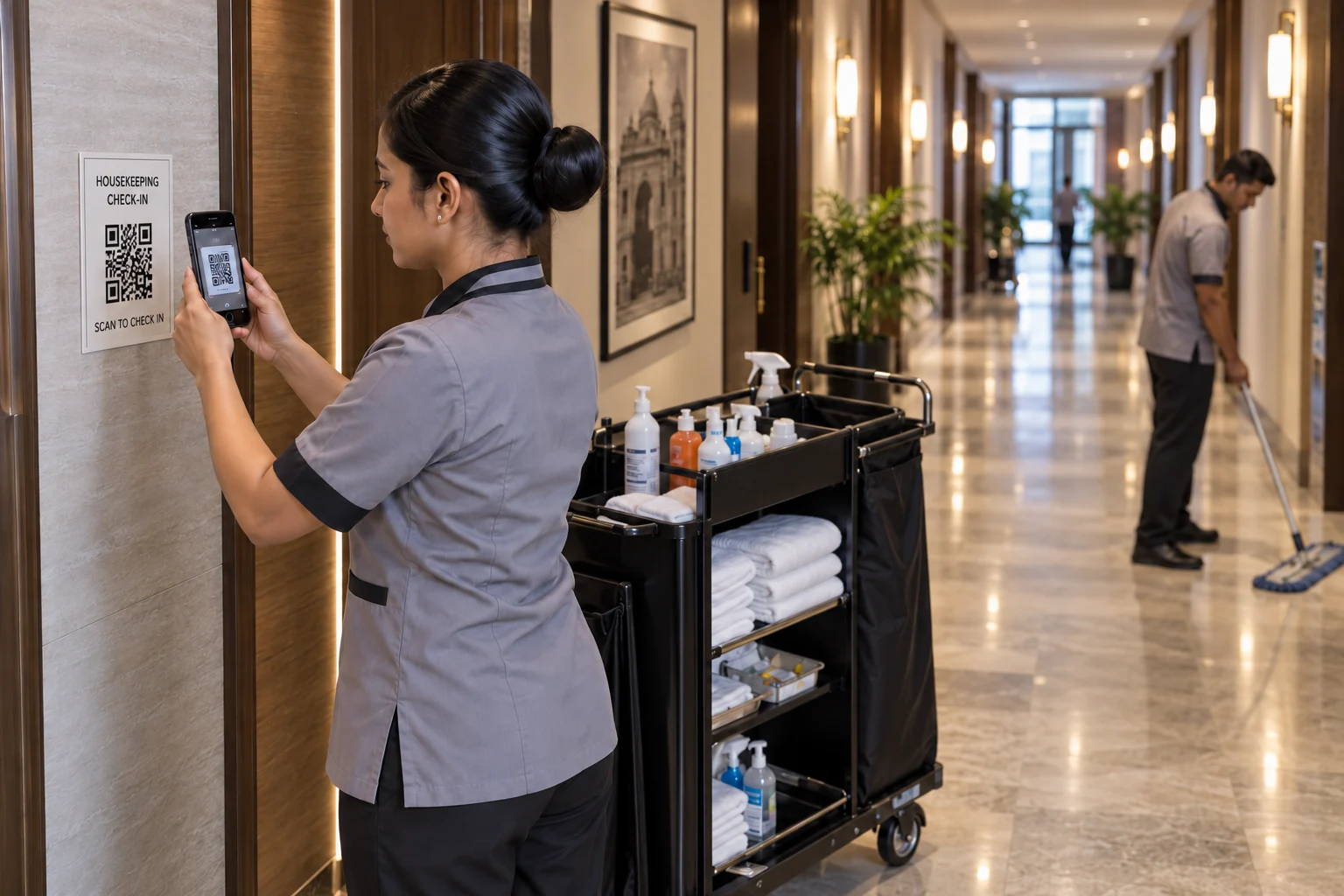
Use QR check-ins and current, geo-tagged photos to record housekeeping and patrol rounds. Supervisors can check completed rounds and follow up on missed stops.
Setup: Assigned QR checkpoints, phone location access, and a current image for each check.
Response owner: Housekeeping supervisor
Measure: Completed QR check-ins and missed rounds
Record: QR checkpoint, staff member, check-in time, geo-tagged current image, and follow-up action.
Workflow: Scan QR → Capture current image → Save location and time → Review record
Housekeeping receives the corridor location and image, isolates the spill, then records the inspection after cleaning.
Public corridor
Housekeeping supervisor
Time to isolate and clear
Spill image, location, accepted time, and inspection after cleaning.
Choose the locations, check camera coverage and name the response teams.
Test the agreed scope. Compare alert quality, false alerts, response times and record completeness with a baseline.
Review results with operations and IT. Resolve issues before extending to more zones.
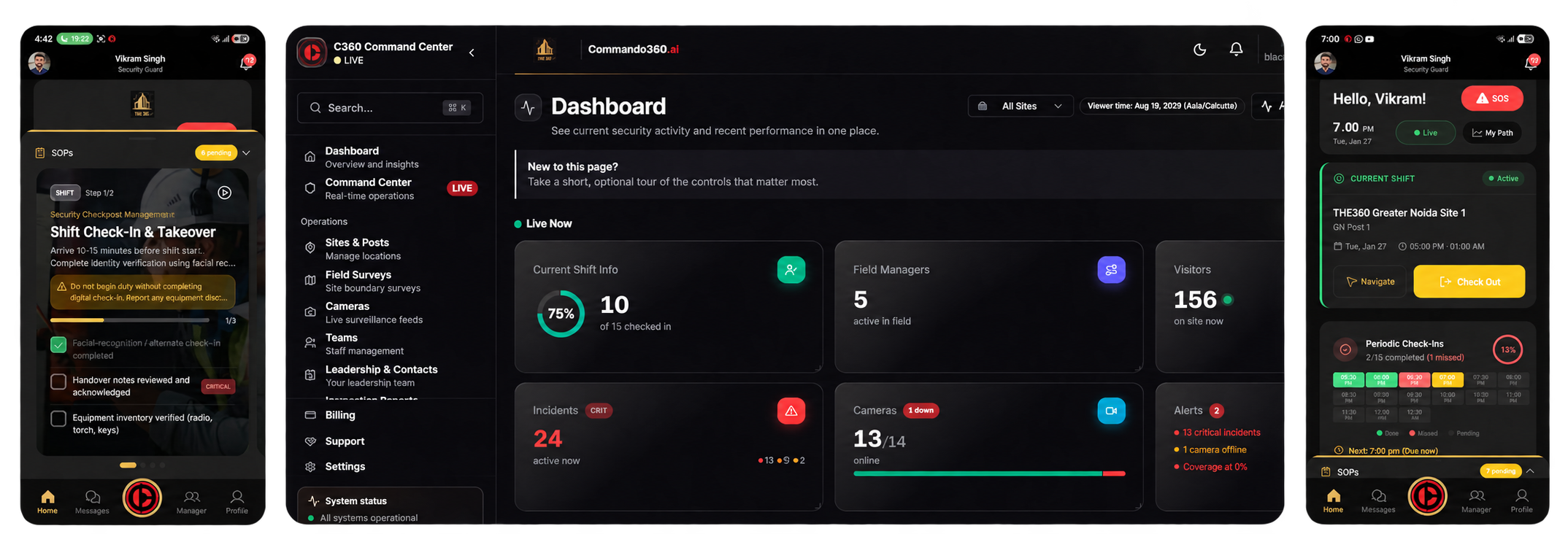
Review events and site records. Assign tasks, track progress and check the closure evidence.
Receive the location and instructions. Follow the checklist, capture current photos and record the action in the field app.
We assess feed access, camera position, lighting and visibility for each use case. Face and number plate recognition may need dedicated views.
Staff verification uses an enrolled roster at service entrances. Guest identification is not required. Agree enrollment, notice, retention and a manual verification option before use.
Video shows visible conditions and supports inspection records. Housekeeping still inspects the surface after cleaning. Invisible contamination and water quality need separate checks.
Vehicle and door checks need current visit or access records. Analytics must be tested against your camera views, lighting and operating conditions.
Compare confirmed detections, false alerts, response times and record completeness with a baseline. Cover representative shifts and lighting, including missed or uncertain events.
Include hotel operations, security, housekeeping, engineering, and event teams, plus IT and privacy leads. Agree on permissions, retention, camera access, response procedures, and pilot measures.
Walk through guest areas, service entrances and supplier arrivals with your operations team.