
Site entry
Arrange safety induction, staff records and gate passes before the installation team arrives.
Commando360 for Data Centres
Connect secure-door events, visitor approvals, equipment movements and water alerts. Help security and engineering teams check exceptions and track the response.
Commando Security Group, our sister company, has more than 25 years of physical security experience.
Arrange safety induction, staff records and gate passes before the installation team arrives.
Confirm PPE, work-at-height permits and authorised power connections with the site team.
Agree device access, IP requests and discovery scans with IT. Use authorised accounts and follow site notification rules.
Commando360 links camera events with staff identity, approved visits, work windows and equipment movements. Security checks access to halls, cages and plant areas. Engineering receives alerts for visible water and obstructions with the location and supporting records.
Keep each access check and facilities alert tied to its location and owner.
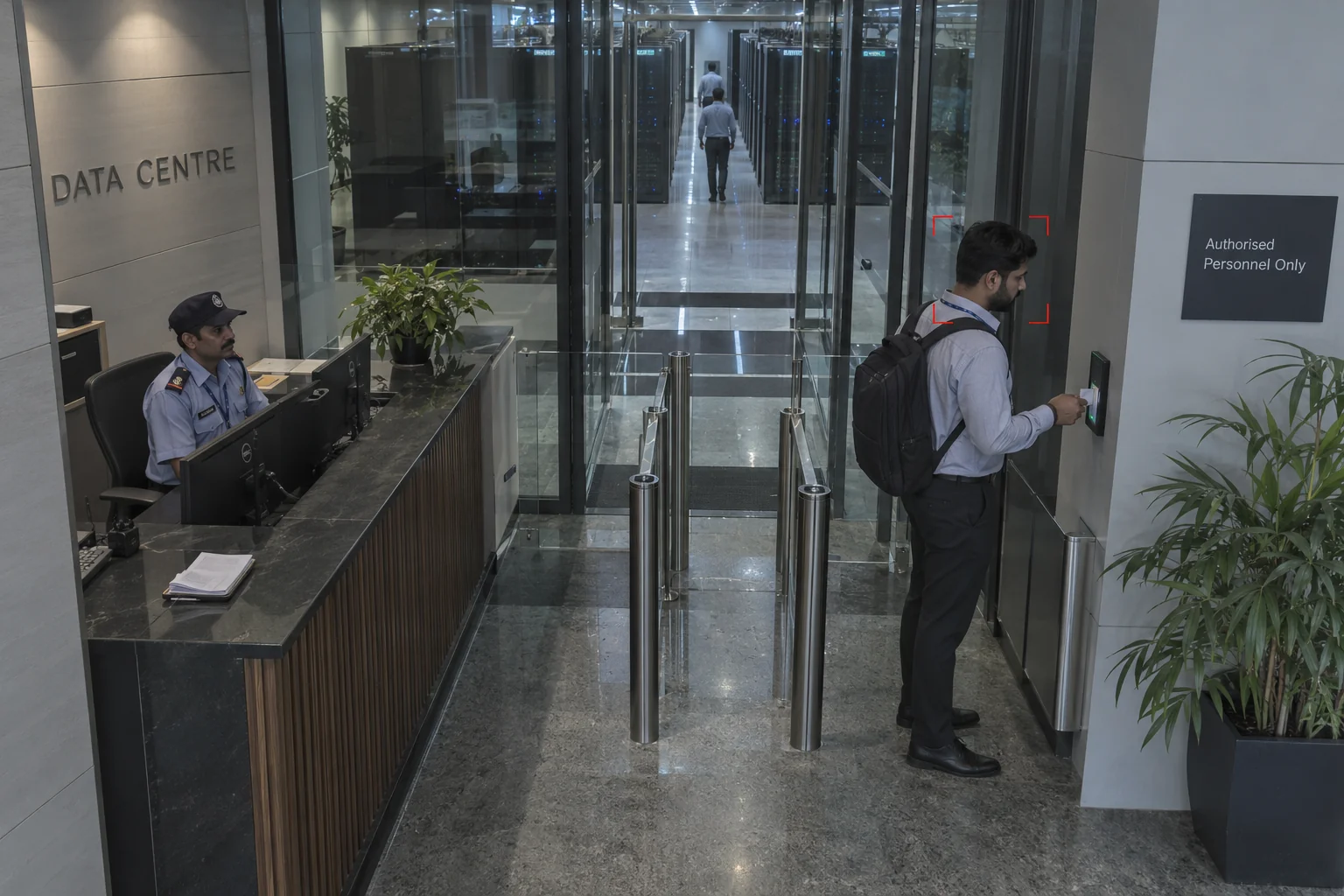
Compare arrivals with the enrolled roster. Guards review uncertain matches and separately confirm permissions for customer cages, halls and plant areas.
Setup: Approved enrolment, image quality, and a manual fallback.
Response owner: Physical security supervisor
Measure: Unresolved identity exceptions
Record: Candidate match, verified identity, zone permission, and entry time.
Workflow: Match roster → Review identity → Check zone → Record
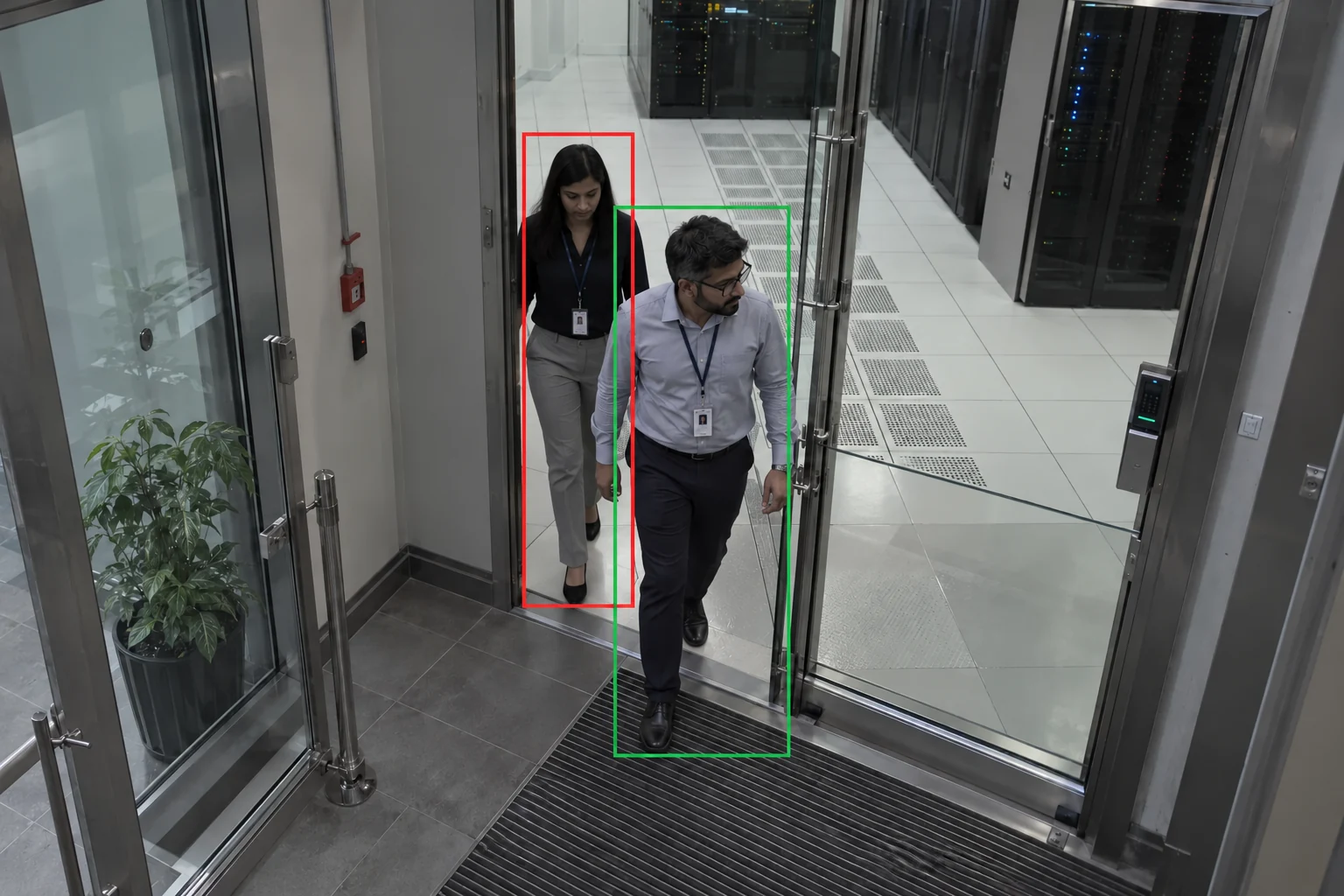
Compare passages through mantraps and controlled doors with granted entry events. Security reviews extra passages with the associated video.
Setup: Door-event integration and suitable camera geometry.
Response owner: Access-control team
Measure: Reviewed passage mismatches
Record: Granted access, observed passages, entry clip, and security decision.
Workflow: Count people → Compare grants → Review mismatch → Resolve
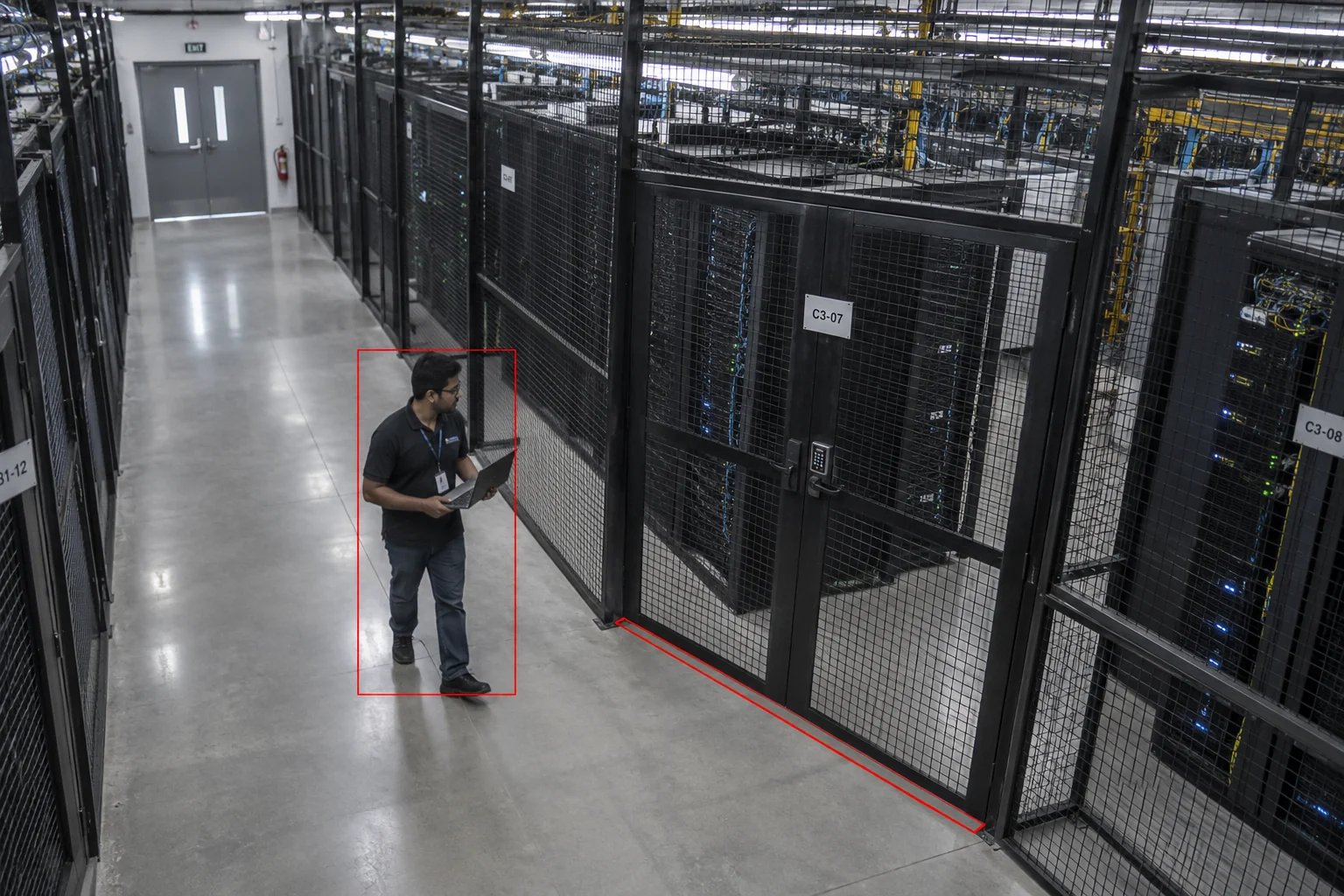
Flag crossings of configured cage boundaries and check zone permissions. Security and the customer host verify the movement before escalation.
Setup: Customer zone map and current authorisation linkage.
Response owner: Colocation security team
Measure: Confirmed cage-permission exceptions
Record: Cage boundary, entry clip, permission reference, and host review.
Workflow: Detect crossing → Check permission → Confirm host → Record
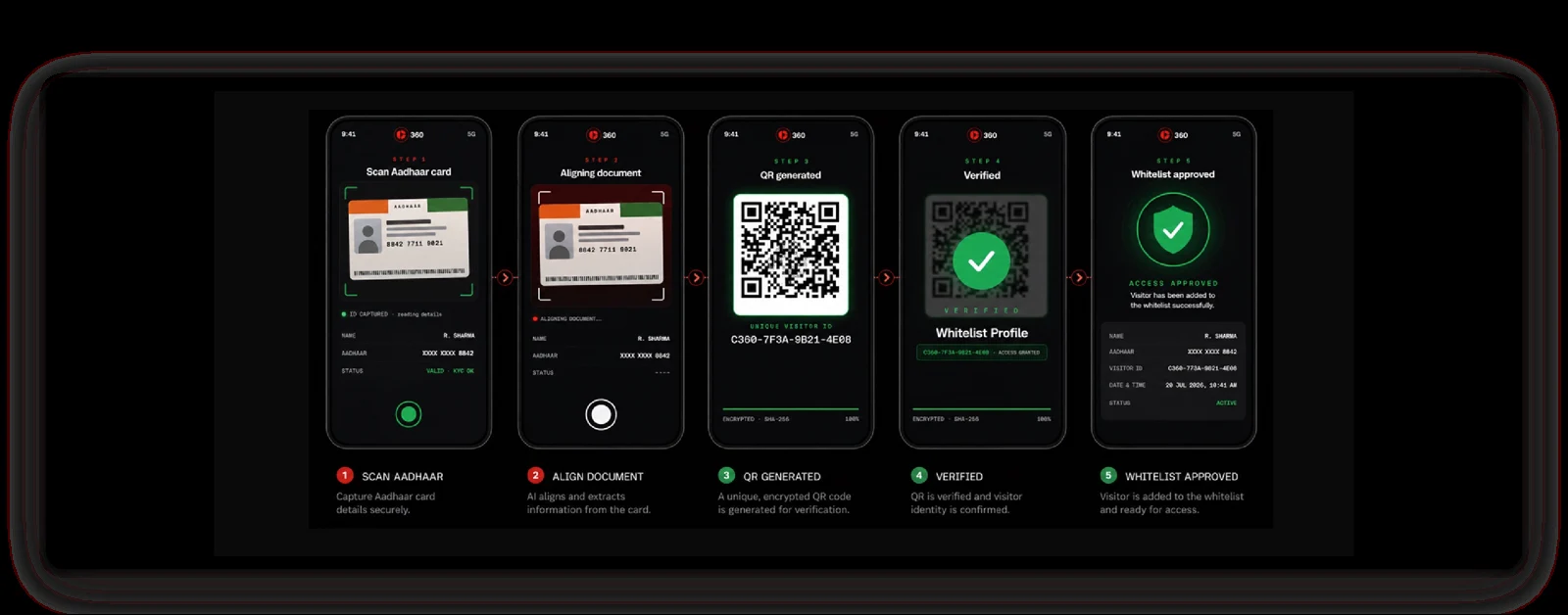
Verify a government-issued ID and issue a QR pass linked to the customer host, zones, visiting hours and escort. Check cage and work permissions separately.
Setup: Supported ID verification, customer and site approval, current zone permissions, and escort rules.
Response owner: Visit host
Measure: Visits with a verified ID and approved pass
Record: ID verification status, QR pass, customer host, approved zones, escort, and visit timestamps.
Workflow: Scan ID → Verify details → Generate QR pass → Record visit
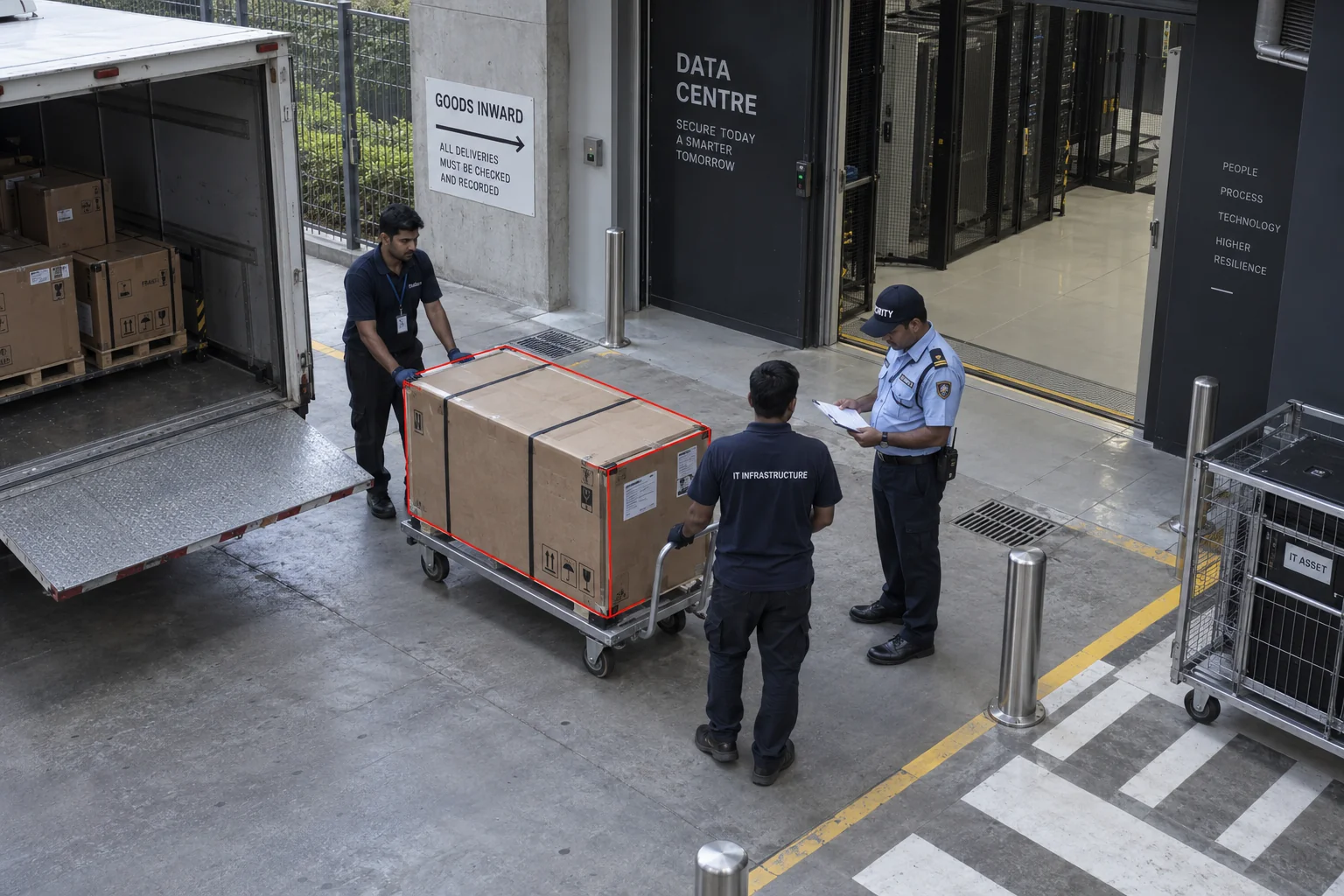
Link each equipment movement to the customer, asset reference, approver and custodian. Security checks the physical handoff against the approved record.
Setup: Customer asset records and physical custody checks.
Response owner: Logistics security team
Measure: Movements without approval references
Record: Asset reference, customer approval, custodian, and handoff time.
Workflow: Record asset → Check approval → Verify handoff → Retain record
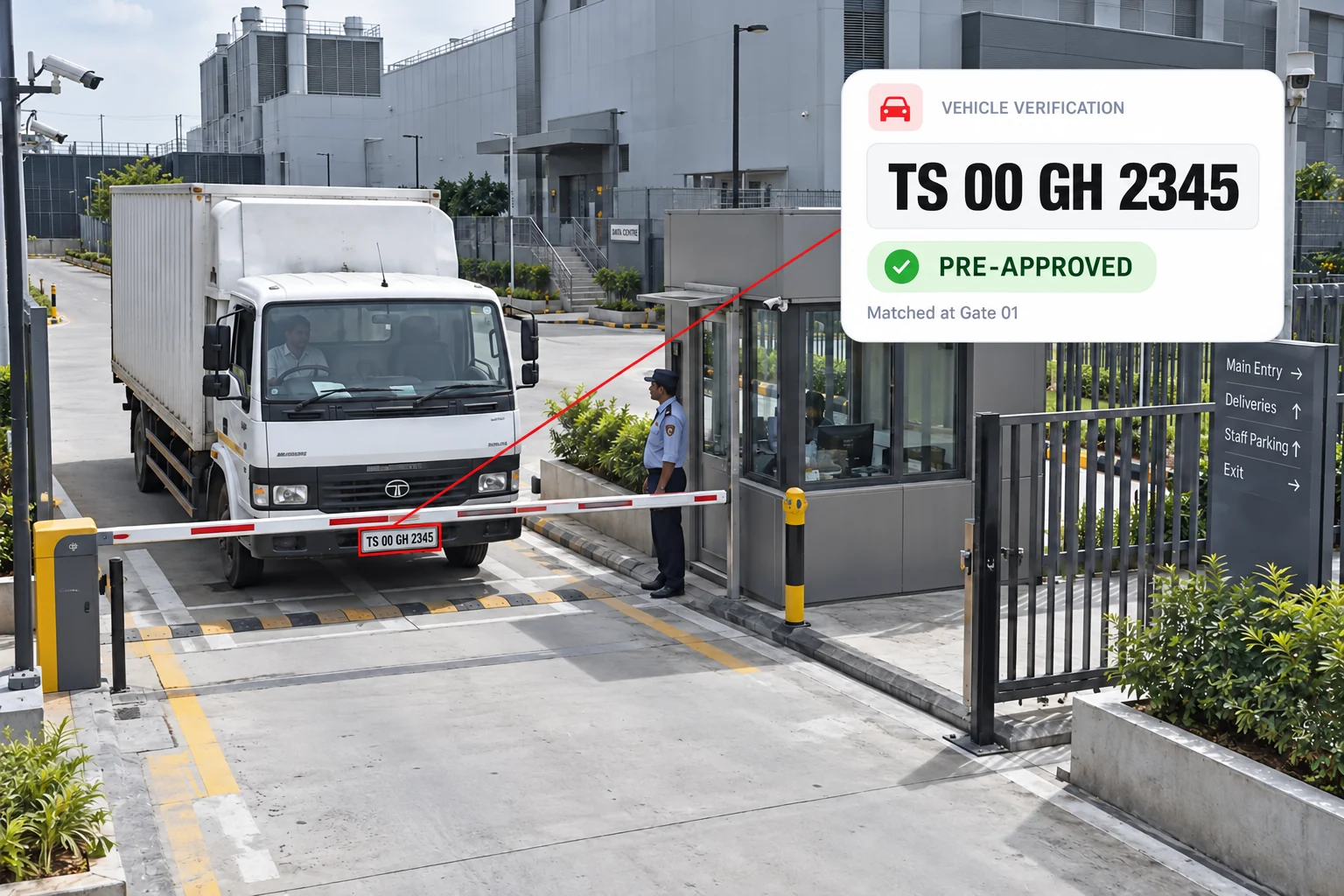
Read number plates with automatic number plate recognition (ANPR) and check approved and blocked vehicle lists. Gate staff confirm delivery, collection or fuel-service approval, reviewing blocked or unmatched vehicles before entry.
Setup: Readable plates, current vehicle lists, and the relevant visit or delivery approval.
Response owner: Gate security supervisor
Measure: Blocked or unmatched vehicle alerts
Record: Detected plate, list-match status, visit reference, gate decision, and entry or refusal time.
Workflow: Read plate → Check vehicle lists → Confirm approval → Record decision
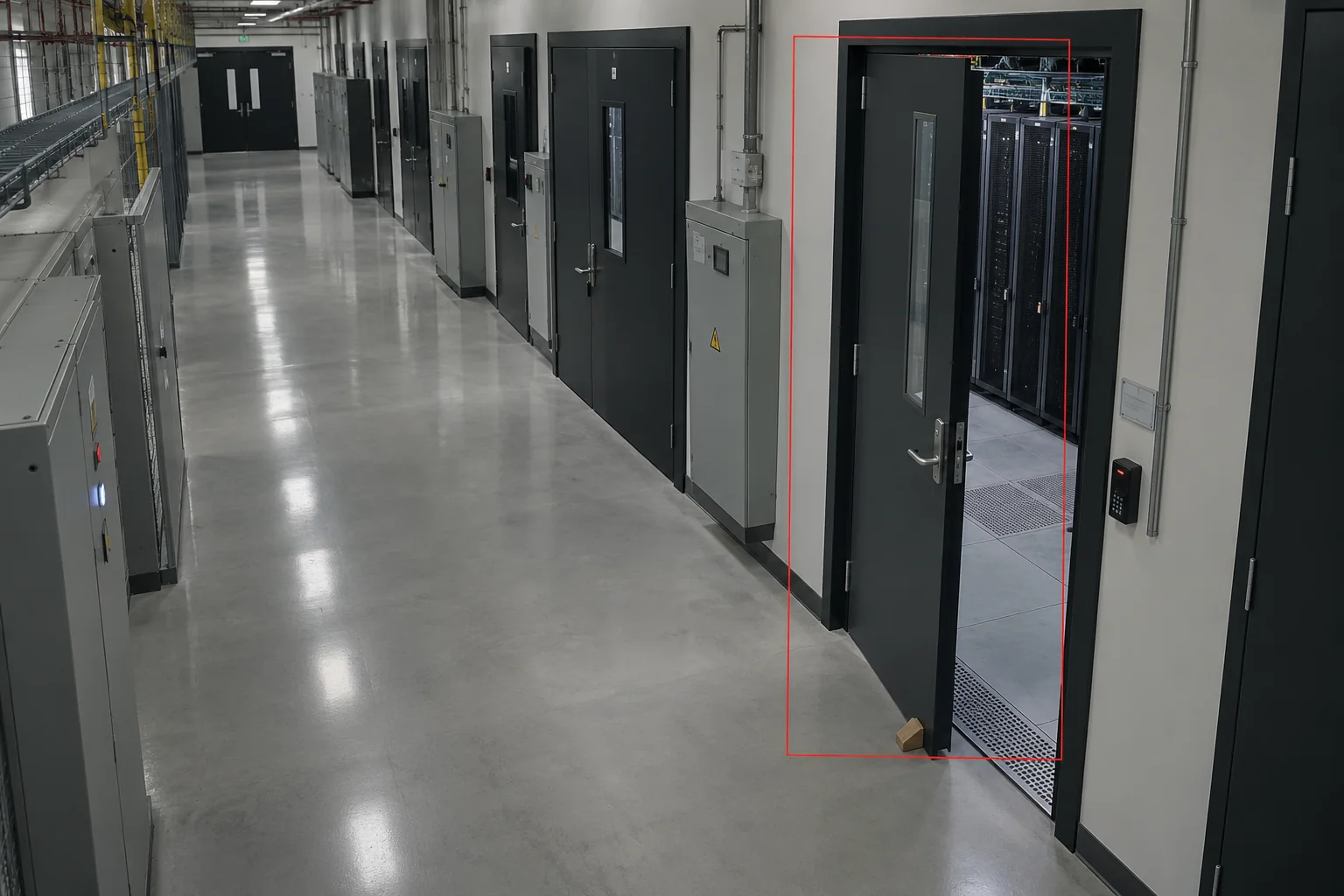
Flag hall, loading or plant doors left open beyond the set time. Security checks the cause and confirms closure.
Setup: A tested door-state model and site-specific thresholds.
Response owner: Security shift supervisor
Measure: Secure-door open duration
Record: Door, open interval, cause, assigned owner, and closure confirmation.
Workflow: Observe state → Check dwell → Assign response → Confirm closed
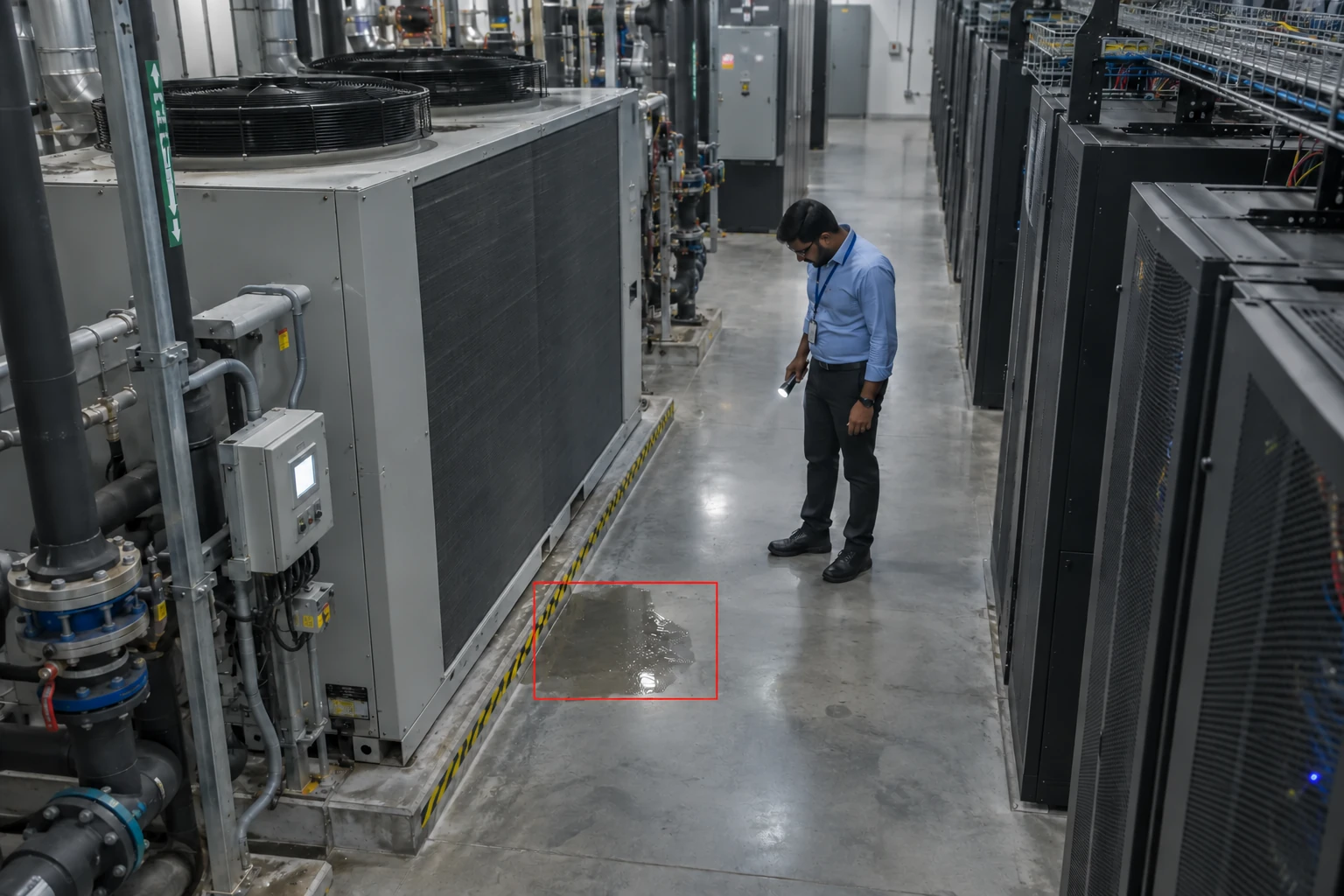
Flag visible liquid near cooling equipment and rack approaches. Engineering checks the cause alongside leak-sensor alarms and follows the site response procedure.
Setup: Surface visibility and independent leak sensors.
Response owner: Facilities engineer
Measure: Time to inspect a visible-water alert
Record: Visible condition, exact aisle, inspection, and engineering action.
Workflow: Flag condition → Notify engineer → Inspect safely → Record action
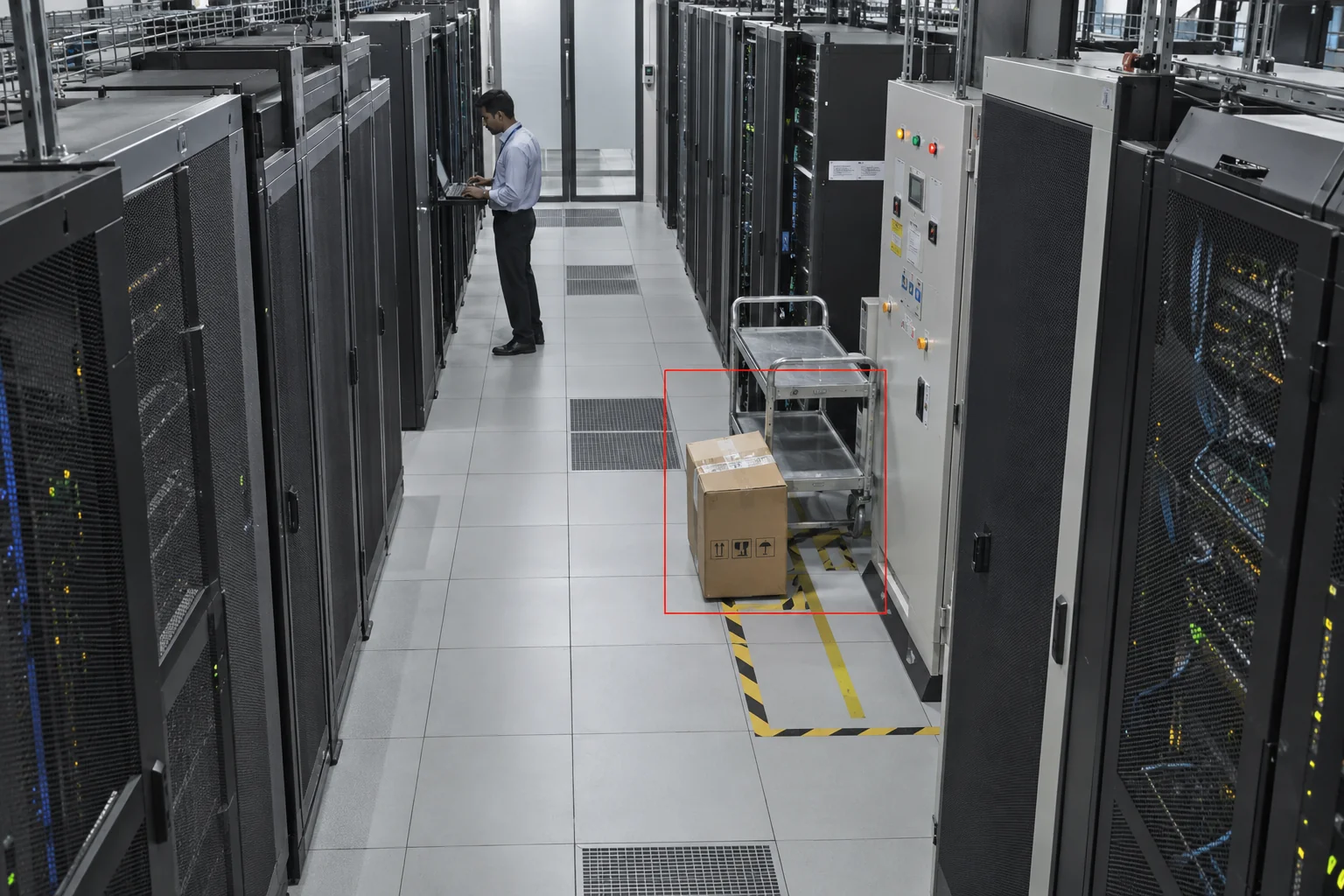
Flag cartons, trolleys and temporary items left in escape routes or equipment-access areas. Assign clearance and record the restored route.
Setup: Approved keep-clear zones and object dwell thresholds.
Response owner: Facilities shift lead
Measure: Obstruction duration
Record: Item image, affected route, assigned owner, and cleared-area record.
Workflow: Detect object → Check area → Clear route → Confirm
Security sees which door has remained open and for how long, checks the cause and records its closure.
Server-hall door
Security shift supervisor
Secure-door open duration
Door, open interval, cause, assigned owner, and closure confirmation.
Choose the locations, check camera coverage and name the response teams.
Test the agreed scope. Compare alert quality, false alerts, response times and record completeness with a baseline.
Review results with operations and IT. Resolve issues before extending to more zones.
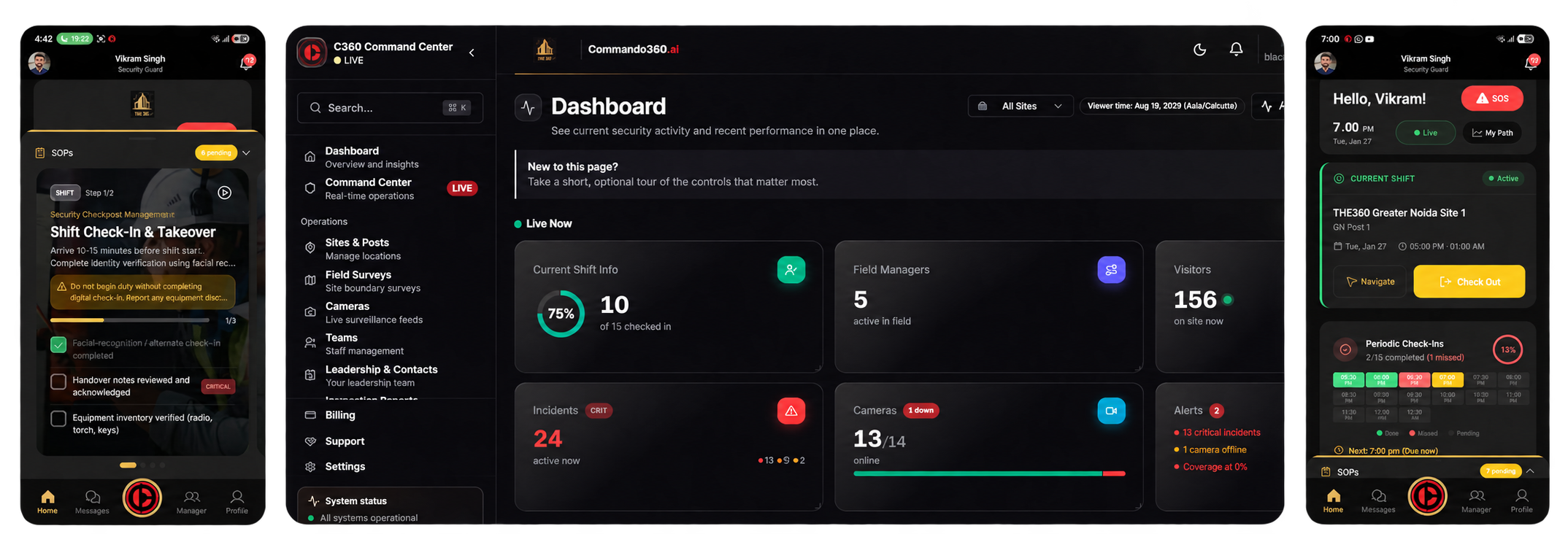
Review events and site records. Assign tasks, track progress and check the closure evidence.
Receive the location and instructions. Follow the checklist, capture current photos and record the action in the field app.
We assess feed access, camera position, lighting and visibility for each use case. Face and number plate recognition may need dedicated views.
Security must confirm the person’s identity, active visit, work window and customer-zone permissions. Uncertain matches need human review and manual verification.
Cameras flag visible liquid within their view. Hidden leaks, electrical conditions and temperature need independent sensors and engineering checks.
Vehicle and door checks need current visit or access records. Analytics must be tested against your camera views, lighting and operating conditions.
Compare confirmed detections, false alerts, response times and record completeness with a baseline. Cover representative shifts and lighting, including missed or uncertain events.
Include physical security, facilities engineering, change owners, and colocation teams, plus IT and privacy leads. Agree on permissions, retention, camera access, response procedures, and pilot measures.
Review secure entrances, customer cages and equipment movements with your security and engineering teams.